Network management gets its most significant expansion yet this month with a complete topology map, path tracing, switch visualisation, syslog collection and more, all shipping together. Alongside it: a redesigned ticket status system, Credentials Manager updates, SQL Server metrics monitoring and more. Here’s everything that shipped.
New Features This Month
Network Management: A Complete Suite
A connected set of features that together give you visibility and control across your entire network estate: from live topology maps and path tracing to syslog collection, SSH jobs and automated alerting. Previously, this level of coverage required dedicated tools sitting outside the platform. Here’s what’s included.
A LIVE TOPOLOGY MAP OF YOUR ENTIRE NETWORK
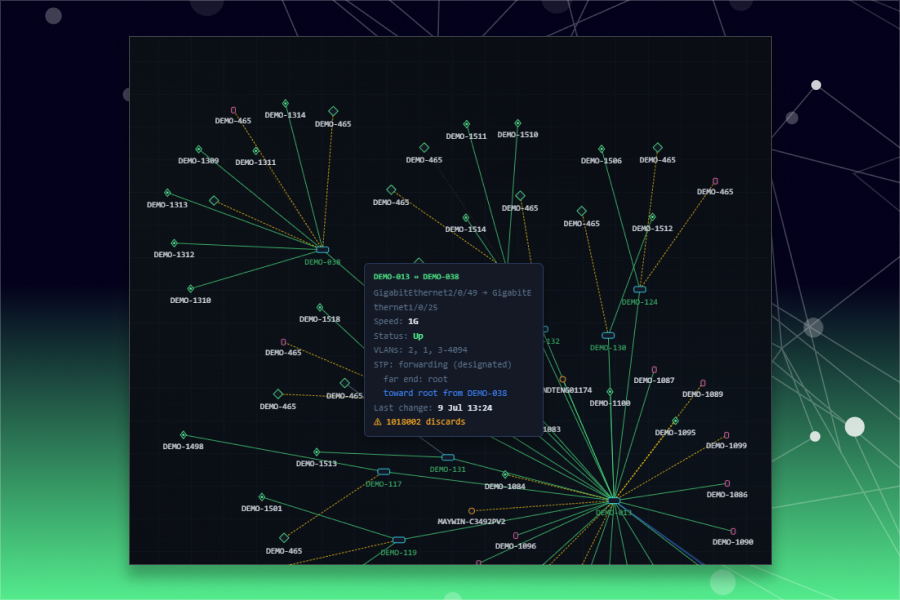
Account-Wide Topology Map
A force-directed topology graph built from live LLDP data covers every managed device and everything discovered behind it. Links are drawn at their real speed and health so a downed or degraded link is visible at a glance across hundreds of devices. If you’ve never had a single view of how your network actually connects, this is it.
Find Every Device On Your Network In One Click
Select anything on the map to see its model, firmware, links, port assignments and VLAN membership. Path trace or expand the neighbourhood view from the same panel. The information has always existed somewhere but now it’s in one place, accessible without digging.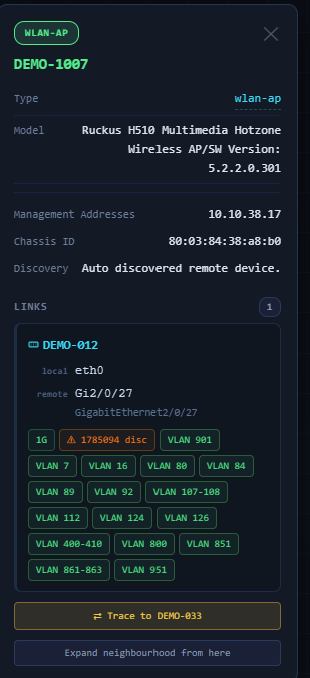
MISCONFIGURATIONS FLAGGED ON THE MAP ITSELF
Find And Fix Problems On The Map
VLAN mismatches across a trunk and other misconfigurations are detected automatically and flagged directly on the affected link, with both sides of the disagreement spelled out and the time of the last change recorded. Problems that used to require manual auditing now surface themselves.
TRACE THE PATH BETWEEN ANY TWO DEVICES, HOP BY HOP
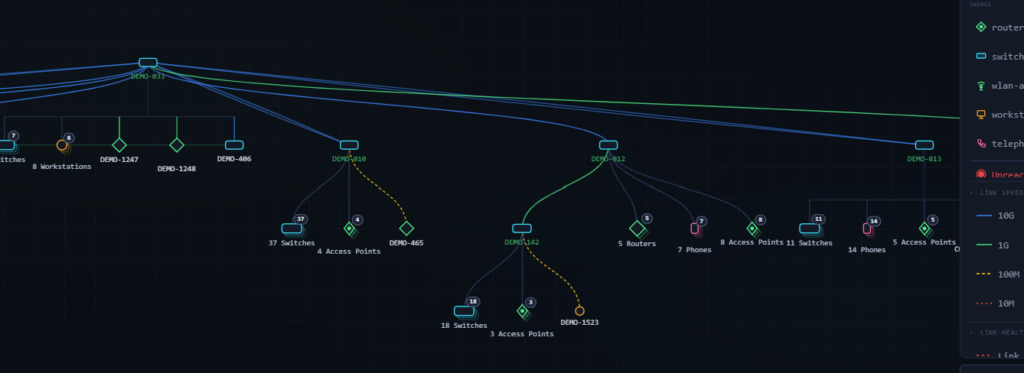
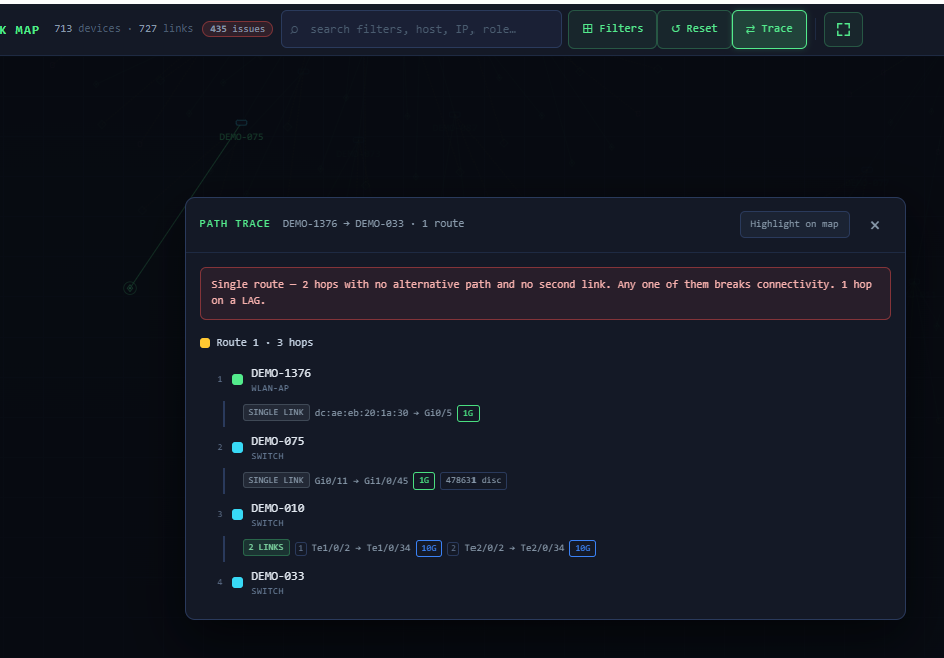
Path Tracing
Path tracing walks the route between any two devices, showing link speeds, errors and discards at every hop. Single points of failure are called out explicitly, so you know before an outage which links have no alternative route.
Visualise Complex Switch Management
Advanced telemetry renders every port on every blade with its live status, speed, VLAN tagging, PoE delivery and connected neighbour. Hover any port for the full picture, including trunk configuration and the device on the other end. Managing complex switching environments without this level of detail means working blind.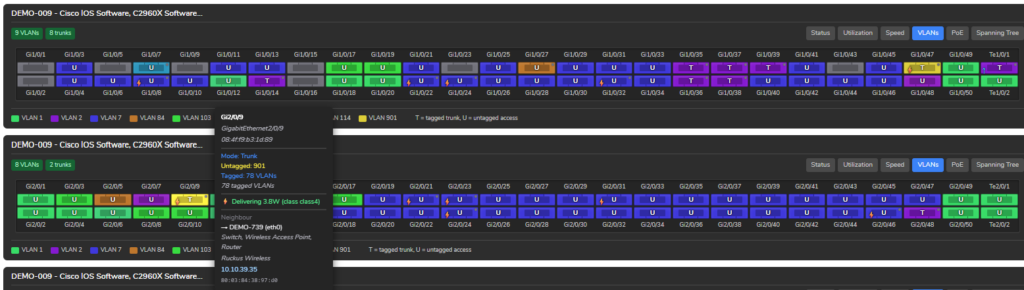
Built-In Network Diagnosis
Spanning tree is mapped in full, including MSTP regions, instance-to-VLAN mappings and per-port roles, making misplaced blocking and region mismatches easy to spot. PoE budgets, per-port draw and peak consumption are tracked on every switch.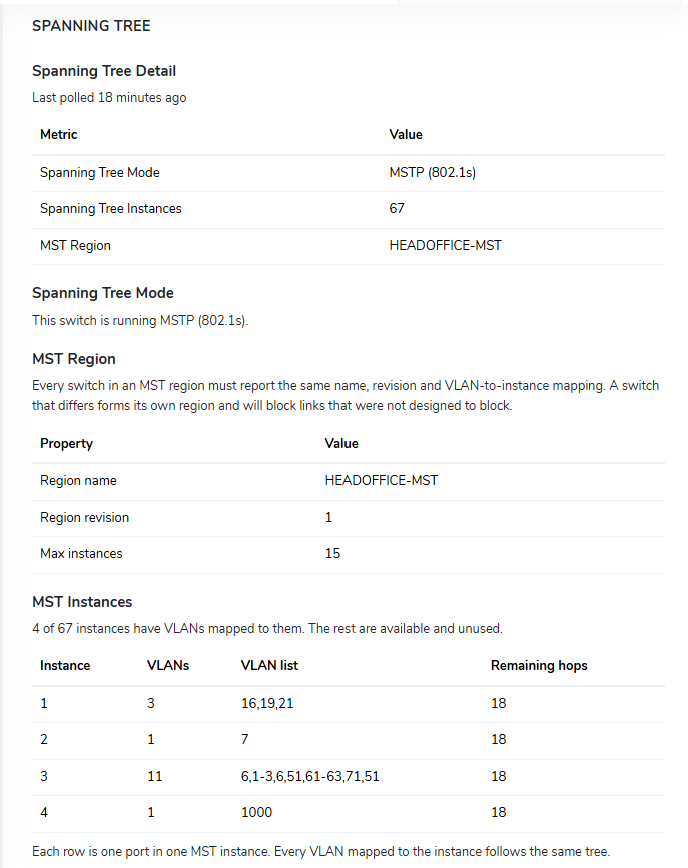
Custom SSH Jobs With Change Control
Schedule any SSH job against any set of devices, from configuration backups to config deployment. Every run is stored and compared against the last, with changed regions highlighted line by line. You know exactly what changed on a device and when — without having to ask.AUTOMATED ALERTING, STRAIGHT INTO THE SERVICE DESK
Alerting On Your Terms
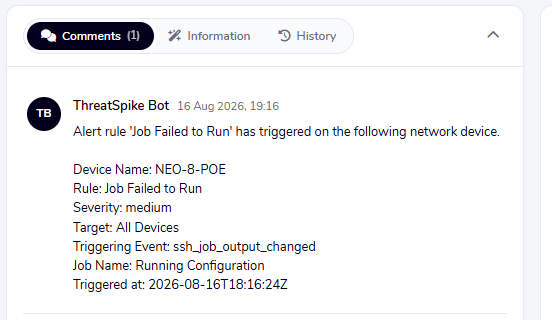
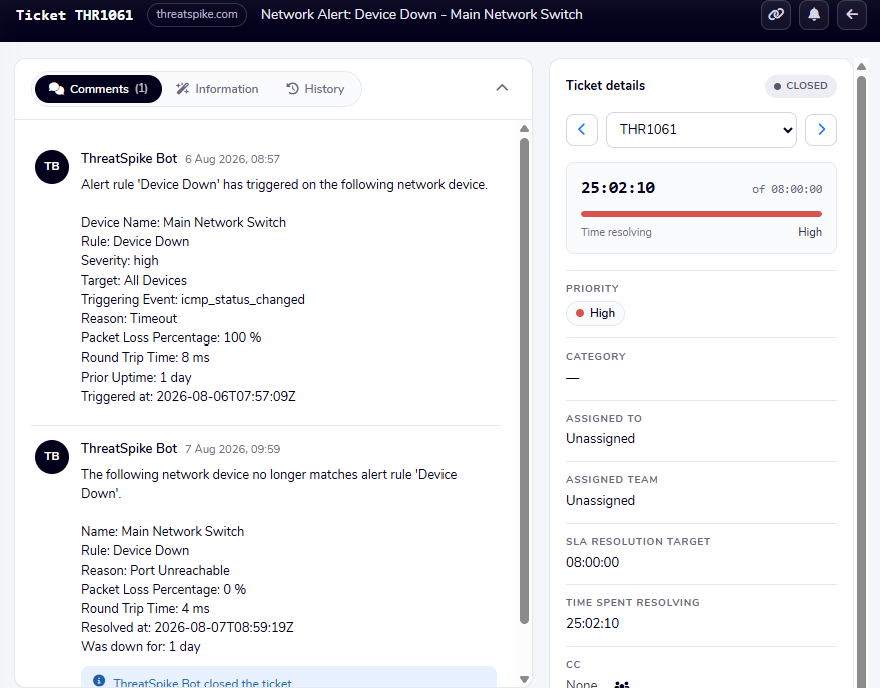
Alert rules cover device up and down events, SSH job output changes, job failures and threshold breaches, each with a configurable severity and target scope. Alerts raise prioritised tickets in the service desk automatically. When the condition clears, the ticket is updated and closed, with the full timeline kept on record.
SYSLOGS, COLLECTED AND SEARCHABLE
Syslog Collection
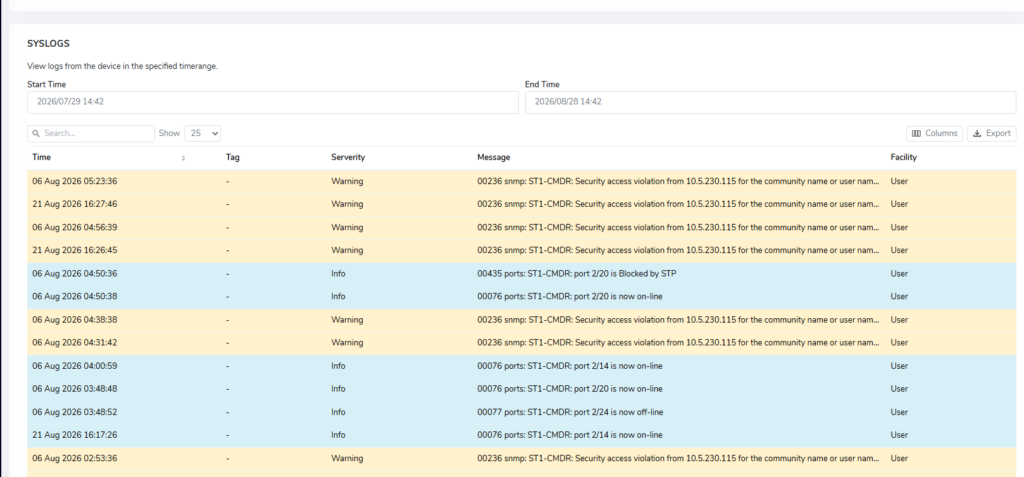
Logs from your network devices are collected, parsed and searchable per device over any time range, with severity highlighting and export. Security warnings and port state changes sit alongside metrics for the same device; context that was previously scattered across separate tools.
Monitor Your Printers
Toner and paper levels, waste receptacles, tray states and lifetime page counts are polled and presented clearly, with active warnings listed so consumables are replaced before users notice. Small, but it’s the kind of thing that generates a disproportionate number of support requests when it’s missing.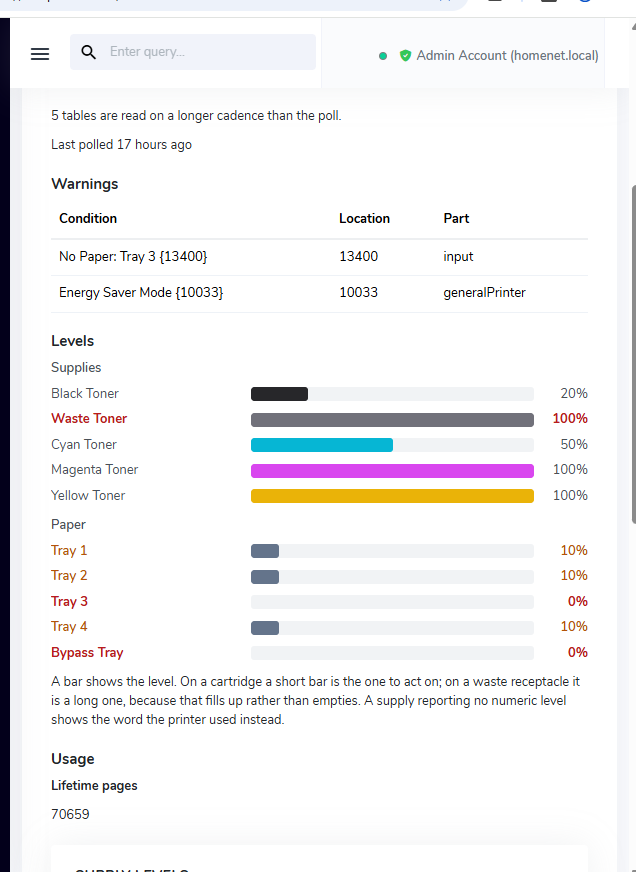
Visualise Your Network Estate At A Glance
Devices are organised into groups with critical, warning and healthy states rolled up across the whole organisation. The morning check is one screen rather than a dozen logins.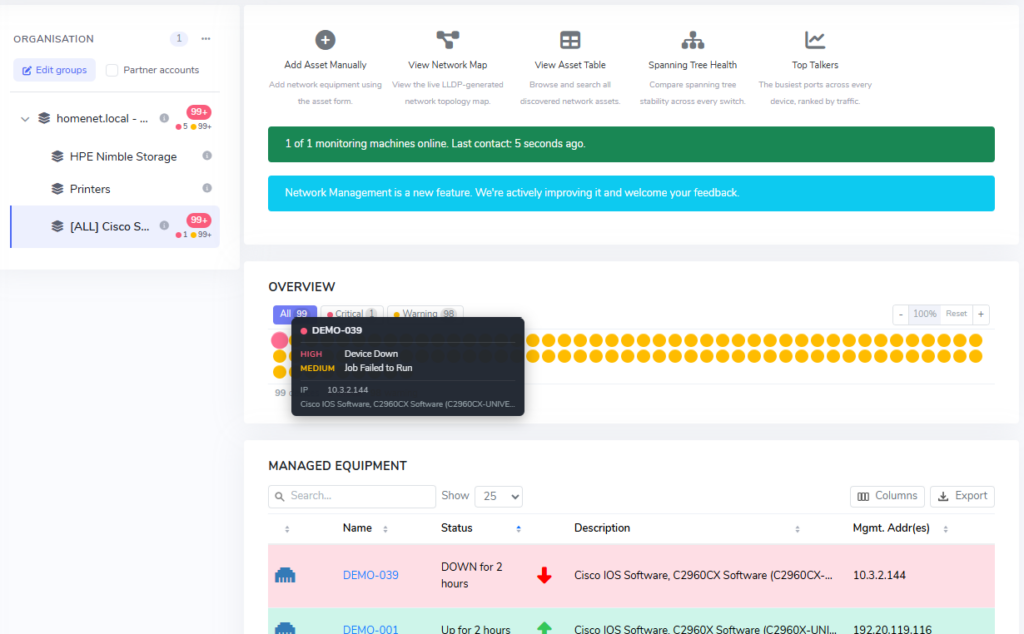
Searchable Network Inventory
A large asset cache built from LLDP and SNMP data covers every device seen on the network – managed or not – with hostnames, addresses, manufacturers and firmware. Searchable and exportable. If a device is on your network, it’s in here.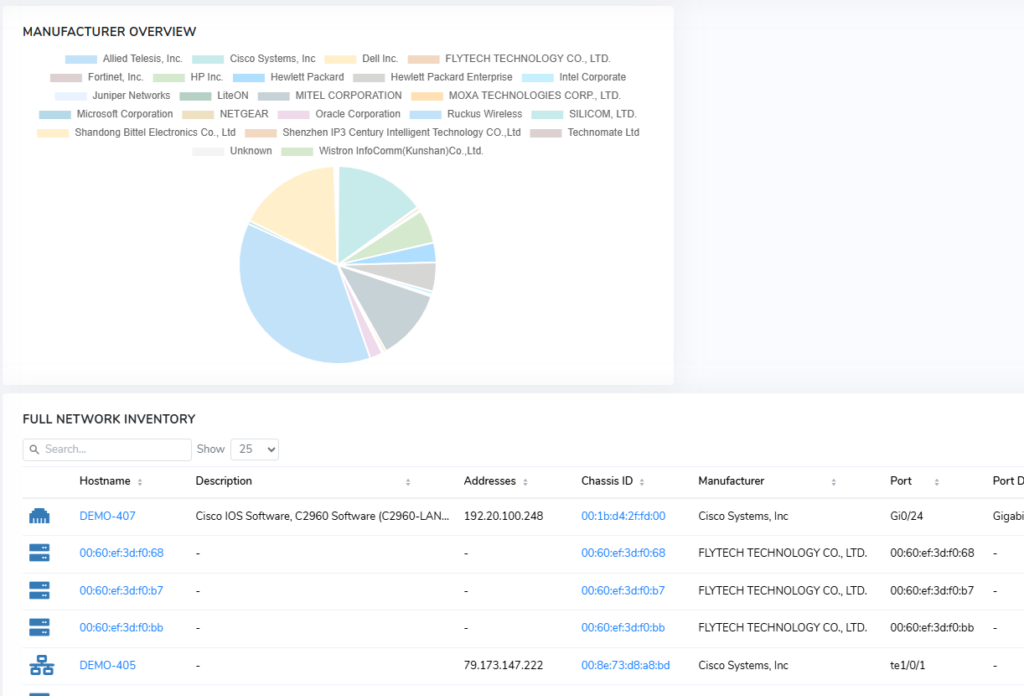
Credentials Manager: Organised, Audited And Easier To Onboard
Several updates to the Credentials Manager ship together this month, making it easier to organise credentials at scale, maintain security as standard, and bring existing credential sets across quickly.
CSV Import
Migrating to a new credentials system has historically meant manual entry or unreliable imports. CSV import now automatically maps your columns and previews everything before saving. Now, bringing across an existing list is a straightforward operation rather than an afternoon’s work.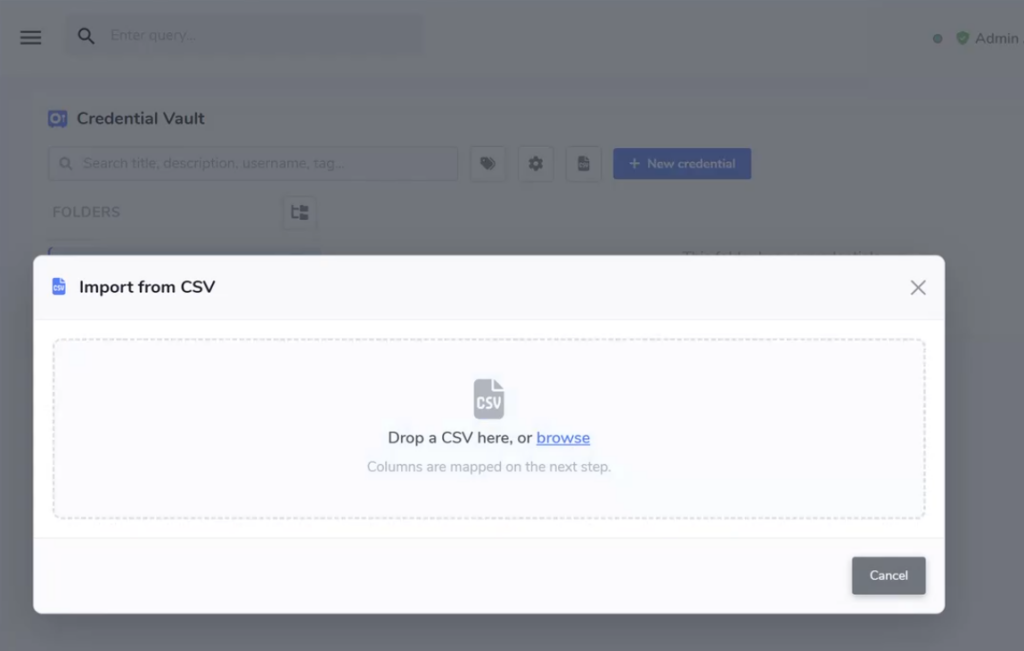
Colour-Coded Folders & Tags
Group credentials into nested, colour-coded folders and apply tags to match the way your team organises its work. Instant search across all fields means getting to any entry takes seconds. Bulk actions cover moving, re-tagging and deleting multiple credentials at once.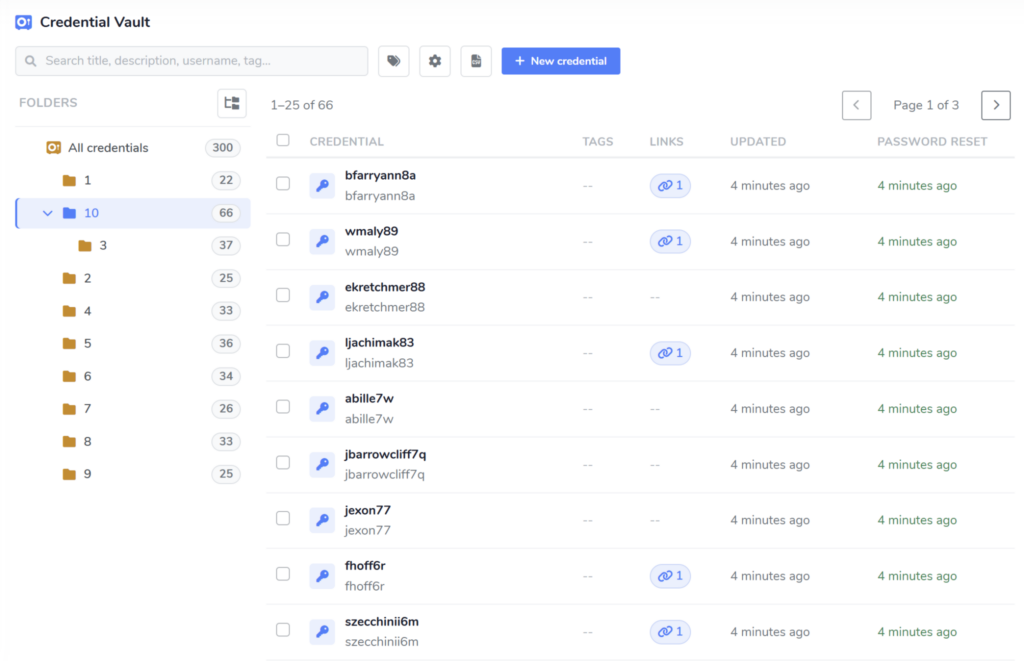
On-Demand Reveal & Password Generation
Passwords stay hidden until they’re needed, with on-demand reveal keeping them out of sight the rest of the time. When a credential needs to be created or rotated, the platform generates a strong password automatically. Security is the default rather than something that depends on individual habits.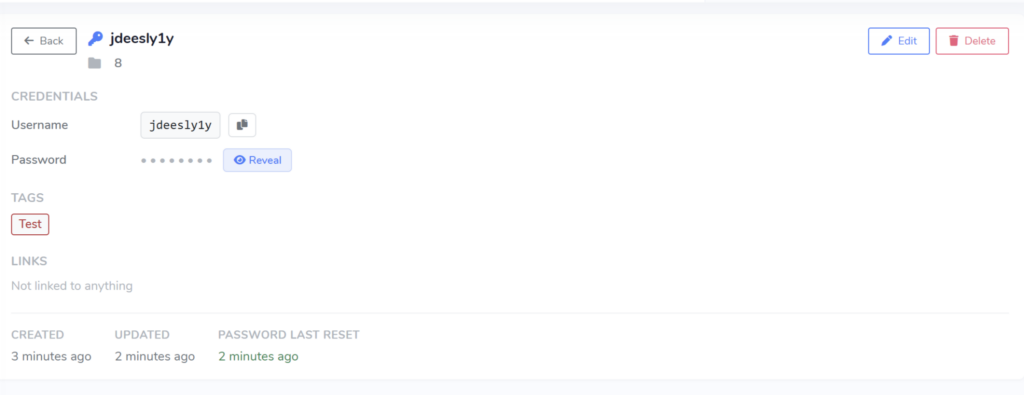
Audit Logging
Full visibility into password creation, credential viewing and burning events. If you need to know who accessed what and when, that information is there.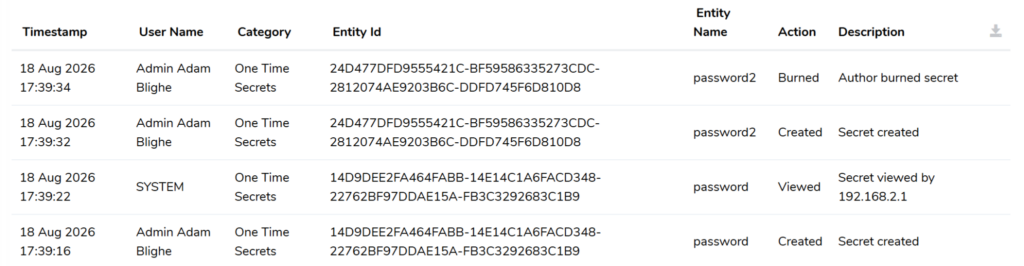
Ticketing: A Redesigned Status System And More Control For Your Team
August brings the most significant structural change to ticketing yet. A complete redesign of the status system, alongside several features that give teams more control over how tickets move and who’s involved.
Redesigned Ticket Statuses
The ticket status system has been redesigned from the ground up, with eight statuses and automatic transitions between them:- New: Unassigned and not yet actioned. Exits automatically when an assignee picks it up.
- In Progress: Active working state. Entered on assignment; exits on reply, block, scheduled or resolve.
- Waiting for Customer: Set automatically when an agent replies. Exits when anyone else responds.
- Waiting for Third Party: Set by agents when tickets are pending external action. A mandatory comment is required and logged in ticket history.
- Waiting for Approval: Blocks the ticket pending approval, tied to the existing approval system.
- Scheduled: Defers the ticket to a later date, within limits set by team configuration.
- Resolved: Believed complete. Moves to Closed after one week, or when confirmed by an agent or end user.
- Closed: Fully complete. No edits or reopening by end users or regular agents; agents and channel managers can reopen to In Progress.
REPLY WITHOUT CHANGING THE TICKET STATE
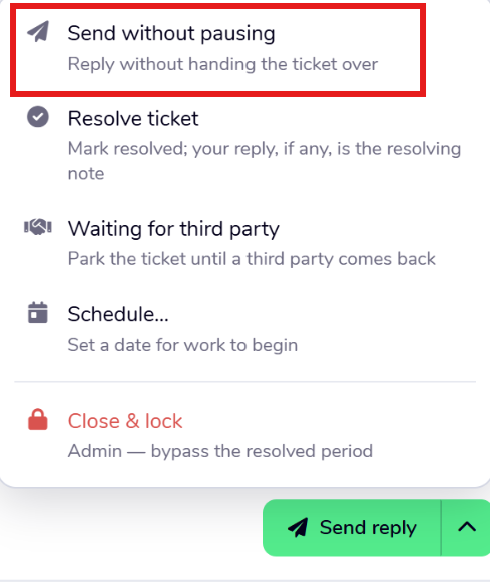
Send Without Pausing
Previously, replying to a ticket automatically moved it to “Waiting for Customer.” There are plenty of cases where that’s not the right outcome: an informational update, a reply that doesn’t require a response. Agents can now send a reply without triggering that transition.
Ticket Collaborators
Tickets now support collaborators alongside the assignee, so additional people can be added without reassigning ownership. Useful when a ticket needs input from multiple people but should stay with one owner.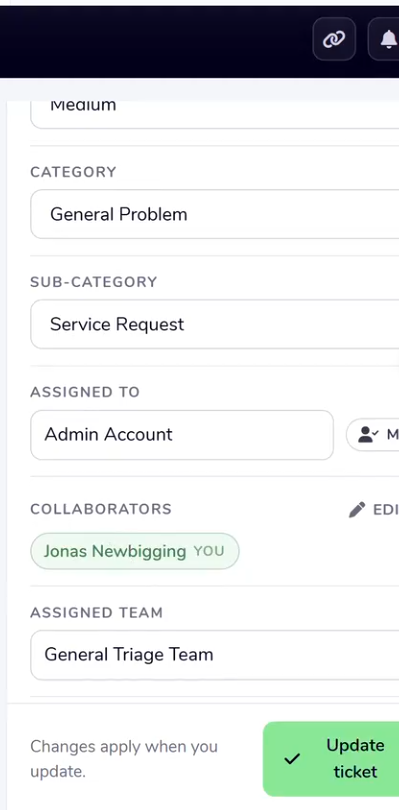
Internal Notes Update
Internal notes are now shared with all agents by default, with selectable sharing modes to control visibility where needed. Notes that are relevant to the team shouldn’t require manual distribution.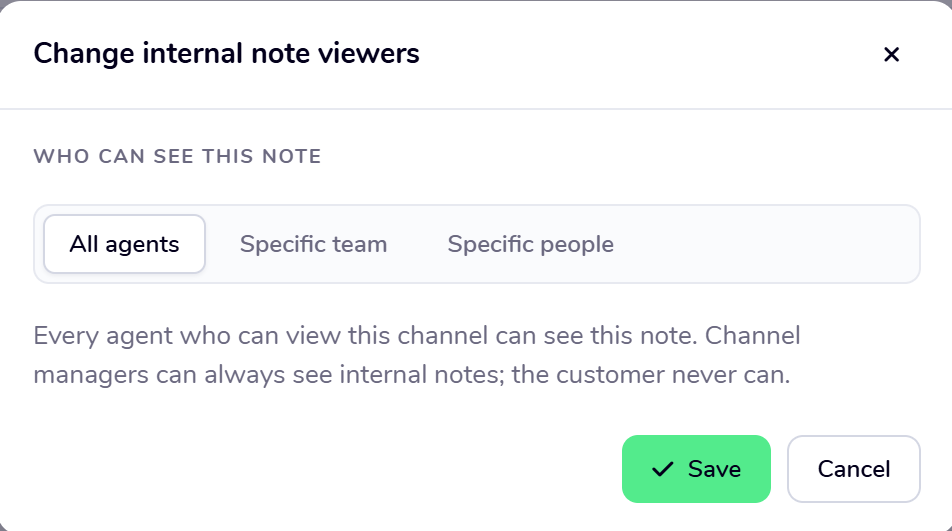
Managed Mailbox Updates
Support ticket updates can now be routed through a managed mailbox where one is configured. Replies to any update from that mailbox are automatically added to the ticket comments, keeping the conversation in one place regardless of how people respond.
‘Assign Me’ Button
An ‘Assign Me’ button has been added to the assignee area on the ticket details sidebar. A small addition, but one that removes an unnecessary step when picking up a ticket quickly.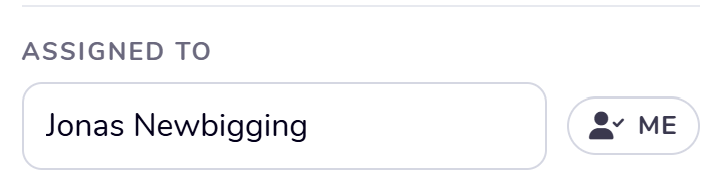
Notification Frequency Toggles
Teams now have configurable notification toggles, allowing comment and assignment notifications to be enabled for all team members. Less noise for teams that don’t need it, more coverage for teams that do.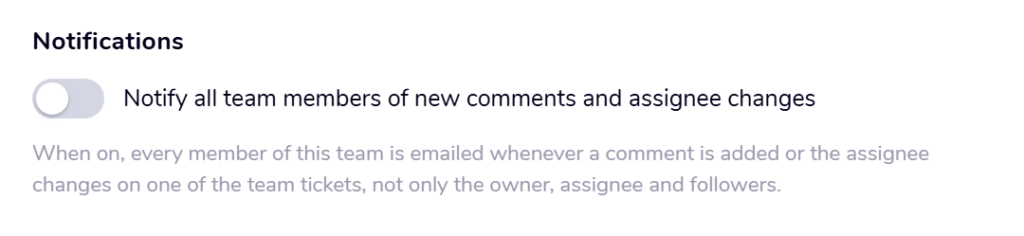
Multiple Auto-Assignment Workflows
Ticketing team auto-assignment now supports multiple scheduled periods at once, including overlapping periods. Useful for teams covering different hours or managing handover windows.Also New This Month
SQL SERVER METRICS MONITORING
SQL Server Metrics Monitoring
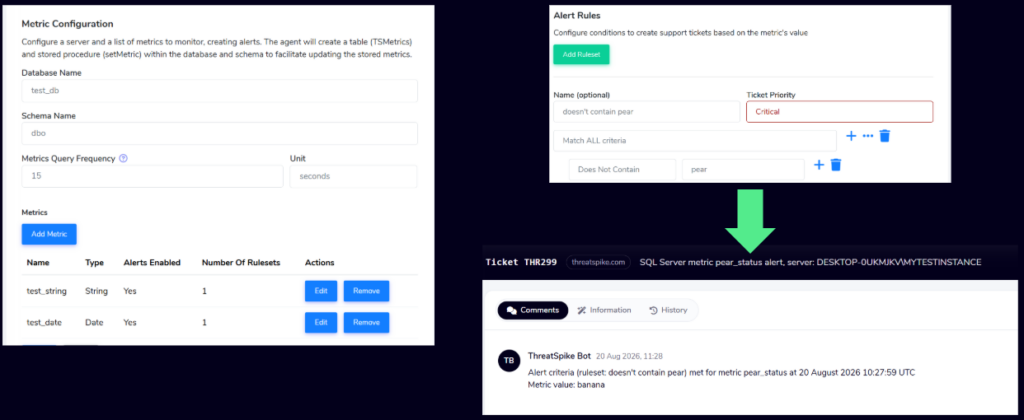
SQL Server monitoring has gained a new generalised metrics capability. Specify a database and schema, and the agent creates a table to store metrics alongside a stored procedure to keep it updated. Metrics can then be configured with their own data types and alert criteria, including support ticket priority. For teams running complex SQL Server environments, this opens up a level of custom monitoring that previously required building something from scratch.
LOCK DOWN ACCESS TO SAAS TOOLS YOUR TEAM SHOULDN’T BE USING FREELY
SaaS Tenant Restrictions
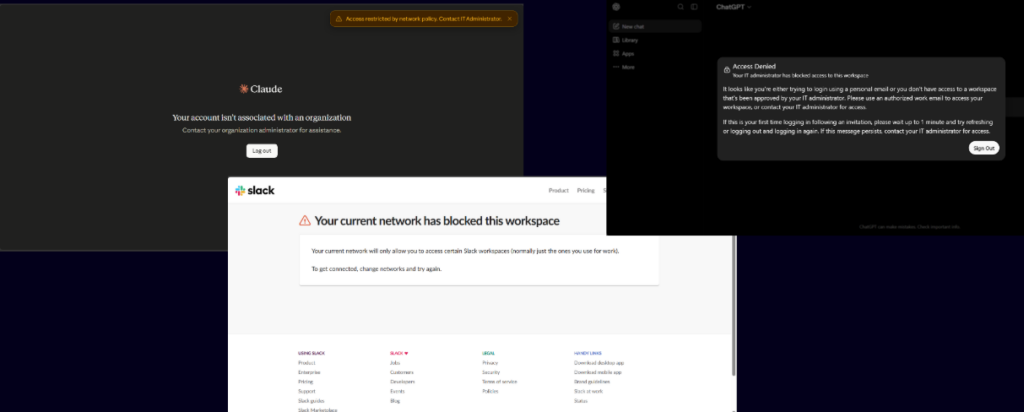
Anonymous, personal or out-of-tenant access to ChatGPT, Claude, Slack and GitHub Enterprise can now be blocked directly under Web Security controls. For organisations managing AI tool usage or enforcing GitHub Enterprise boundaries, this closes a gap that web filtering alone couldn’t address cleanly.
Block All Protocols Firewall Control
A new ‘block all protocols’ option in the firewall rule control lets you block all traffic to or from a specified IP address in one rule. Previously requiring multiple rules to achieve the same result, this is a straightforward improvement for anyone managing firewall rules at volume.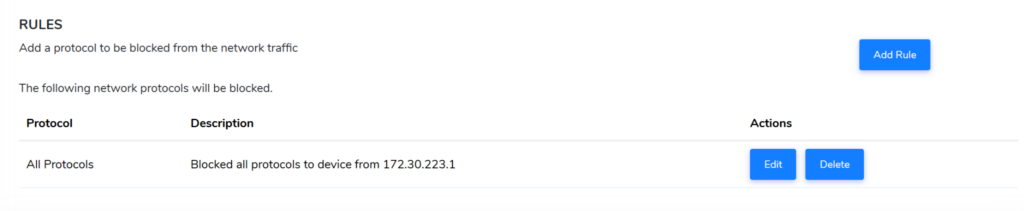
KNOW WHEN A DEVICE REBOOTS, AUTOMATICALLY
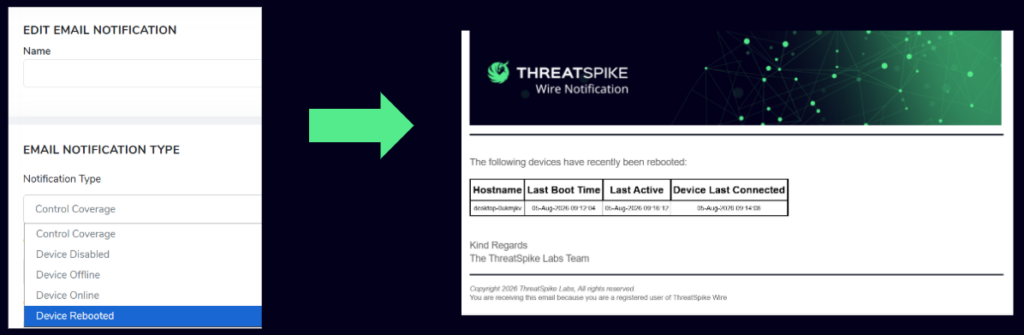
Device Reboot Notifications
A new email notification type fires when a device reboots. For managed environments where unexpected reboots signal a problem, this closes a monitoring gap that previously required manual checking or a separate tool.
Knowledge Base Metrics Dashboard
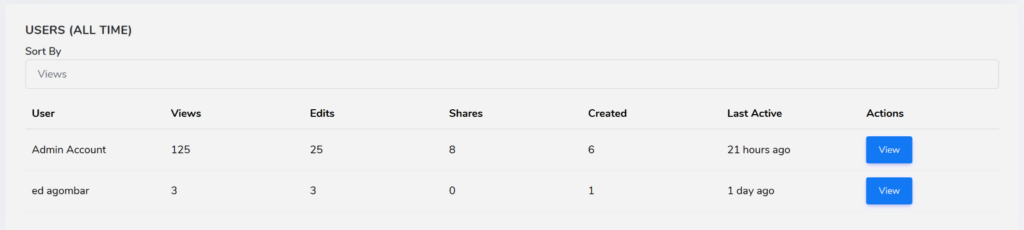
A new metrics dashboard shows stats across your Blueprints, with the ability to drill into detailed figures and track how they change over time. If you’re maintaining a large Knowledge Base, knowing which Blueprints are being used and which aren’t is basic information that wasn’t previously visible.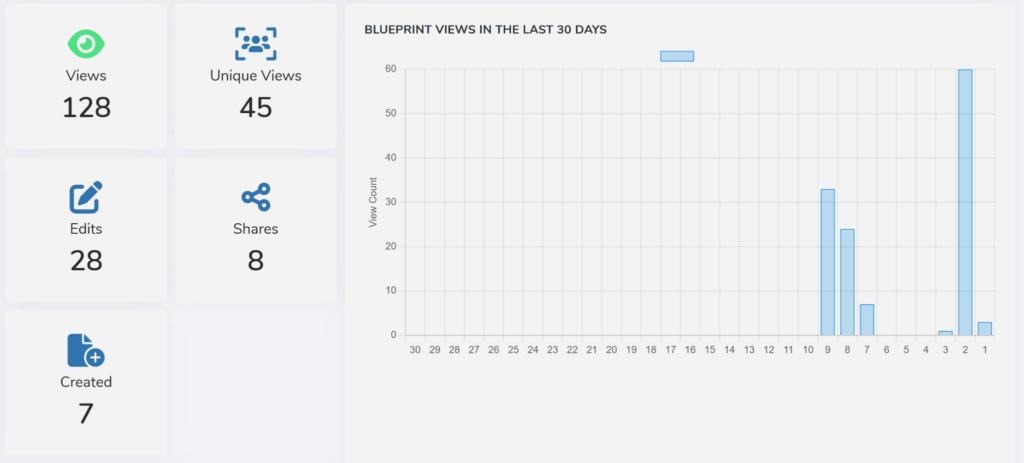
Other Improvements and Fixes
Improvements:
- Platform: Quarantine digest emails are now mobile-friendly, with a dedicated card view for easier reading on a phone. Ad-hoc digests can also be requested on demand.
- ThreatSpike Wire Mobile App: Updated to meet Android 17 standards, with all dependencies updated for improved security and performance. The query bar has been fixed and made more responsive, graphics rendering has been improved, and new on-screen notifications give clearer feedback on supported actions.
- AI Pentest Reporting: Ability to separate findings by type added, alongside a completion indicator, delete button on edit screen, and a new ${all_scope} placeholder that populates scope from findings target values.
- Pentest Scheduler: Gantt charts added to the Pentest Scheduler.
- Ticketing: Redesigned Support Ticket Dashboard.
- Ticketing: Additional improvements to AI Triage behaviour, including giving AI Triage the sender’s name on ticket creation for improved team routing. AI Triage will no longer close tickets during triage; instead it leaves an internal note visible to all agents.
Bug Fixes:
- Pentest Reporting: Fixed an issue affecting clients with changed account tickers that prevented access to older reports. HTML reports no longer show a blank page at the end of a blank preview.
- Ticketing: Fixed user suggestion and resolution not working correctly in the Ticket Channel Configuration widget. Fixed edge-case bugs around state preservation when moving from “Waiting for Customer” to a different waiting state. Fixed an issue where the first resolution showed “Unknown” for users added to user selection areas in Ticket Channel Configuration. Fixed an issue where the assignee would not receive a ticket update email if the update was made by the ticket owner.
- Knowledge Base: Blueprint links now switch to the correct account before loading. Improved Markdown table editor. Tags are now assigned a folder by default. Fixed Options/tags selection not showing correctly in the project viewer. Fixed the “Assign to me” button in the project creator.