The headline this month is our new Knowledge Base, which brings together everything we know about your environment and, through Support Core, puts the fix on a ticket before an operator has to ask. It is one of 10 new features across Managed Security and Managed IT, alongside improvements to Domain Squats and Ticketing and early access to Change Management. Together, they show you problems before they reach your users and take the routine work of fixing them off your plate.
New Features
Support That Starts with the Answer
Support Core
The Fix on the Ticket Before the Operator Asks
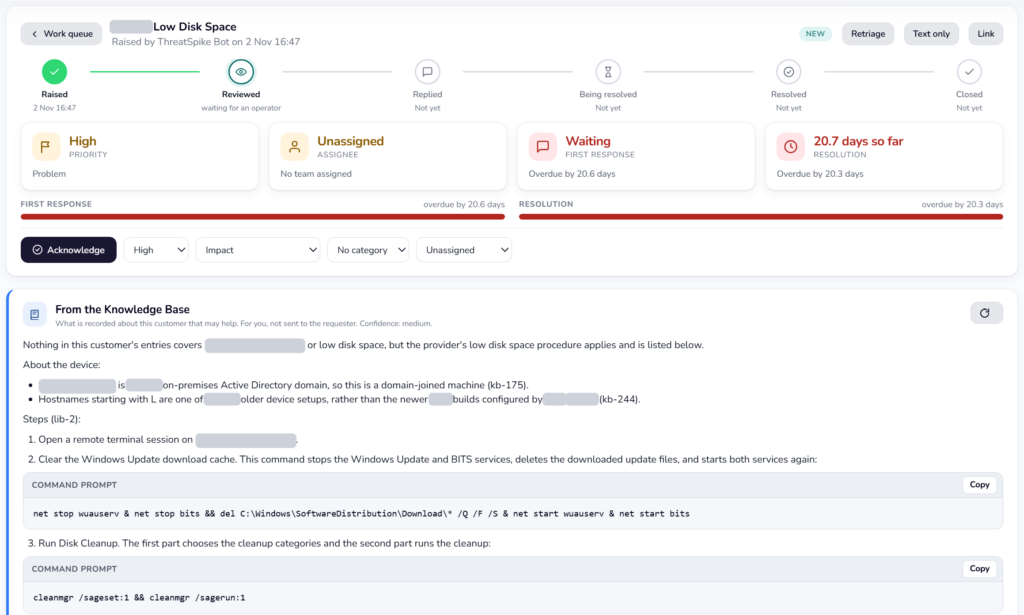
Get tickets resolved faster, with less time spent digging for the fix. Support Core puts the fix on the ticket before anyone has to ask. It works in four steps:
- When a ticket opens, Support Core asks the Knowledge Base what is recorded that would help.
- A suggested fix appears with its sources, drawn from known issues and procedures for that customer. It is shown to whoever is working the ticket.
- Any commands are shown as code, each with a Copy button.
- Tickets that share a cause can be linked, then updated or resolved together.
Knowledge Base
Everything Known About a Customer, One Question Away
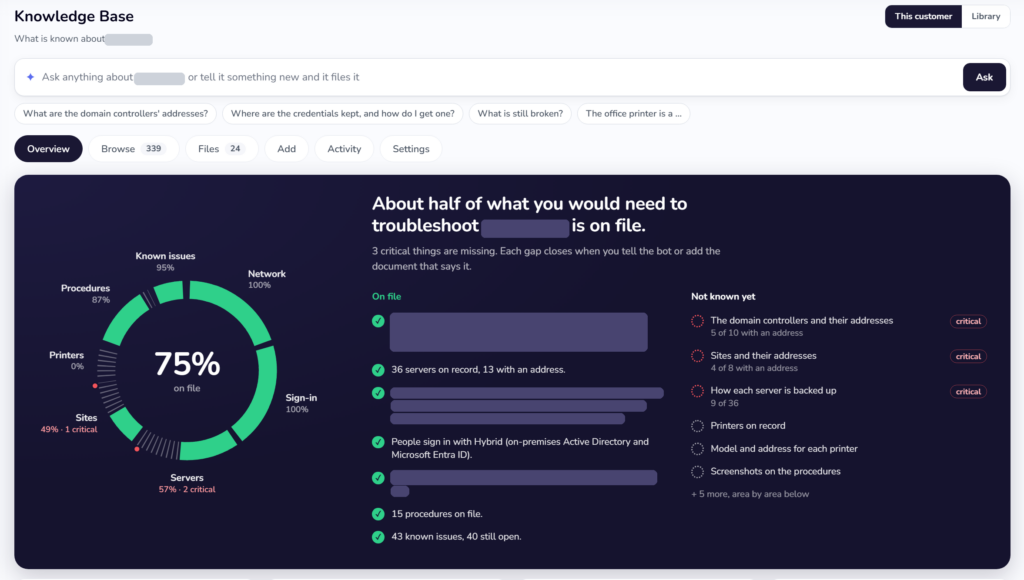
Stop hunting through old tickets and shared folders for answers. The Knowledge Base puts everything known about a customer one question away. A coverage view shows what is on file for each area, such as network, servers, sites and procedures, and names the critical gaps.
Ask the assistant a question and it answers from the recorded entries alone, citing its sources. The knowledge builds itself: documents, meeting transcripts and resolved tickets are read and filed automatically.
Know Before Your Users Do
Outage Watch
Know About Outages Before Your Users Call
Hear about a provider outage before your users call to report it. Outage Watch checks nine cloud and service providers every 15 minutes, around the clock, from AWS and Microsoft 365 to Okta. You get two alerts for every outage: one when it begins and one when it ends. A single dashboard shows what is down right now, the affected services and the provider’s latest update.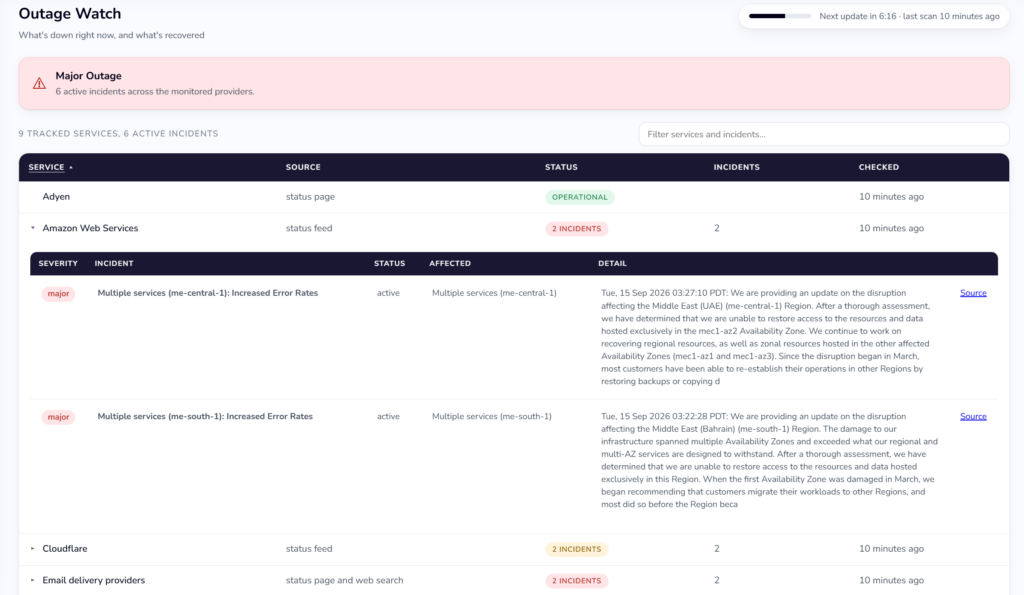
Availability Monitoring
Know the Moment a Site or Certificate Fails
Fix a broken website, DNS record or expired certificate before your customers notice. Availability Monitoring tells you the moment one fails, with each monitor checked every minute from the platform. Two failed checks raise a ticket automatically, and recovery closes it again. You also get proof of uptime: 24-hour and 30-day uptime figures, response times and a record of every outage.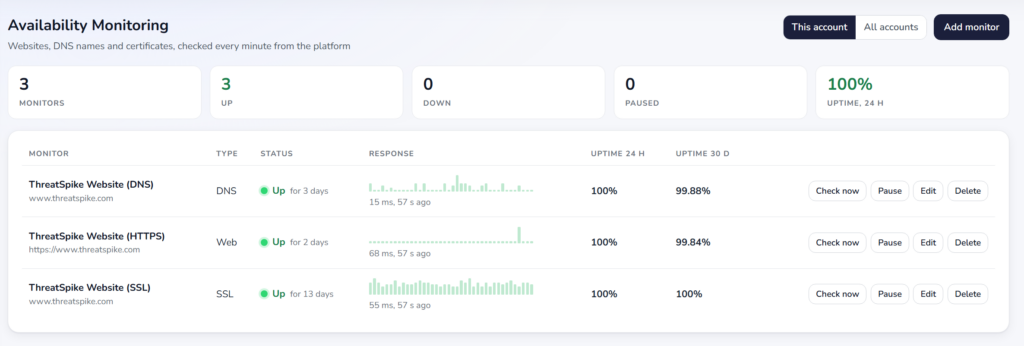
Firewall Management
Every FortiGate, Managed From One Place
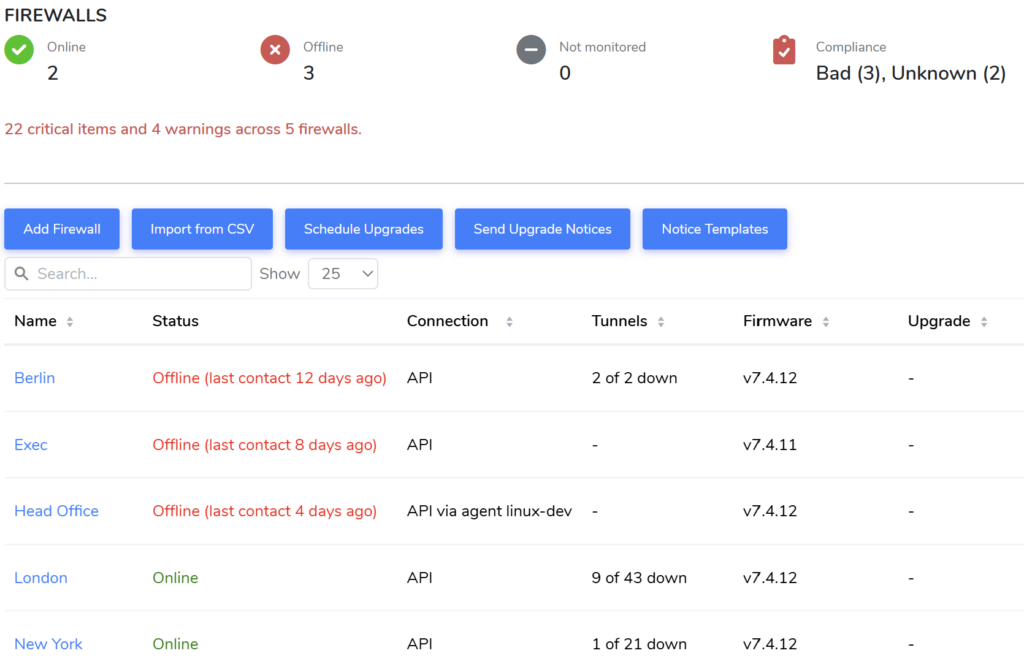
Stop logging in to firewalls one by one, and never miss an unapproved change. Firewall Management brings every FortiGate into one place. Changes made directly on a firewall are detected within 30 minutes. Configurations are backed up daily and checked for compliance and known vulnerabilities.
Firmware upgrades and configuration changes can be rolled out in bulk across many firewalls, with a preview first. Each firewall also has a detailed view covering health, tunnels, failover, SD-WAN, certificates, policies and more.

Your Exposure, Mapped
Attack Surface Monitor
Your Internet-Facing Estate, Found and Graded
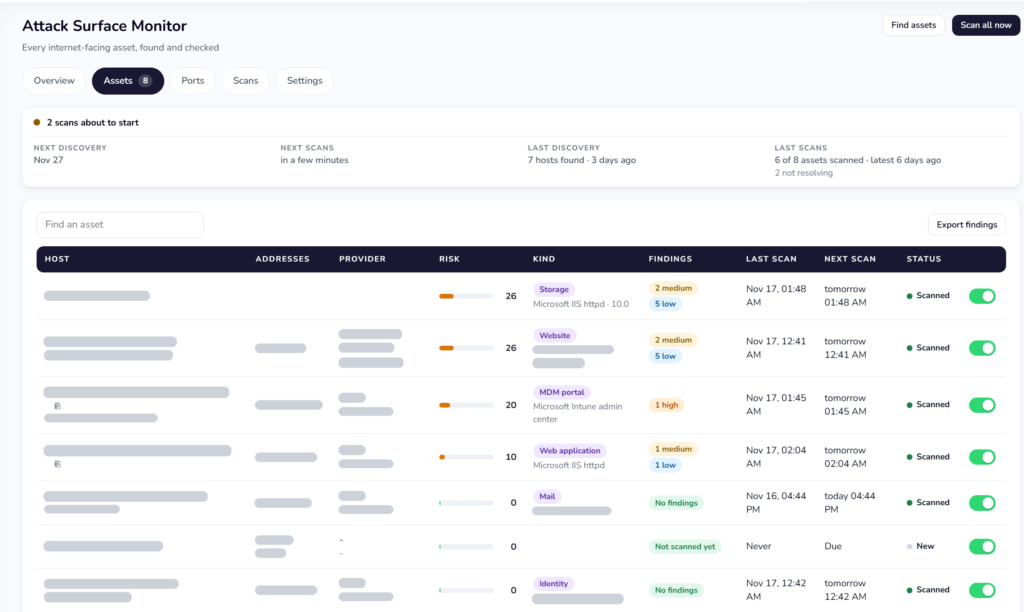
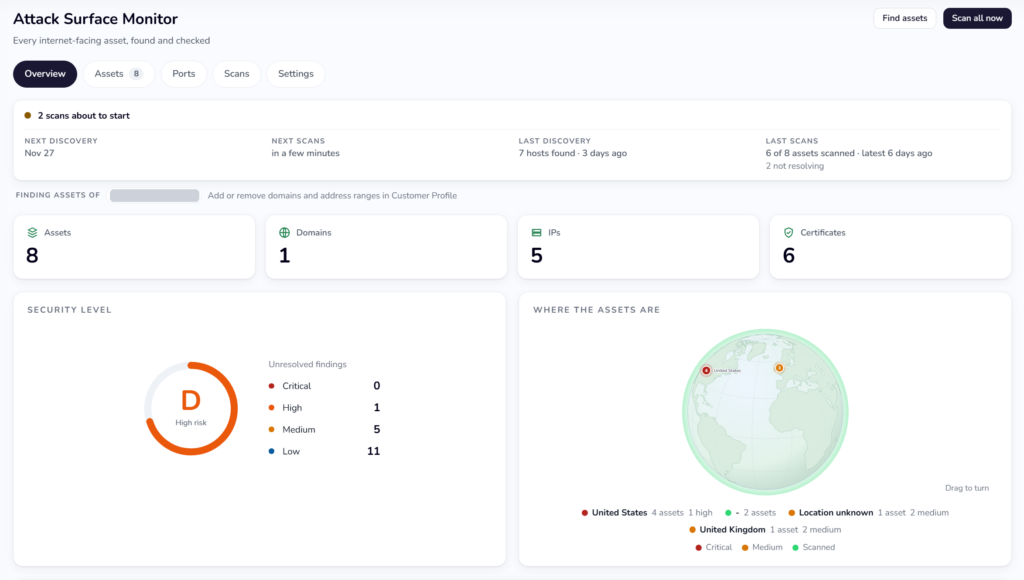
Know what an attacker can see of your organisation, without keeping an inventory by hand. Attack Surface Monitor finds and grades your internet-facing estate automatically. It discovers every host behind your domains and records its address, hosting provider and certificate, so nothing gets forgotten.
Findings are sorted by severity and roll up into a single security grade for the whole estate. Open ports are grouped by purpose, and any new ones are called out each week, so you always know what is exposed.
Login Watch
Every App Your People Sign In To, in One View
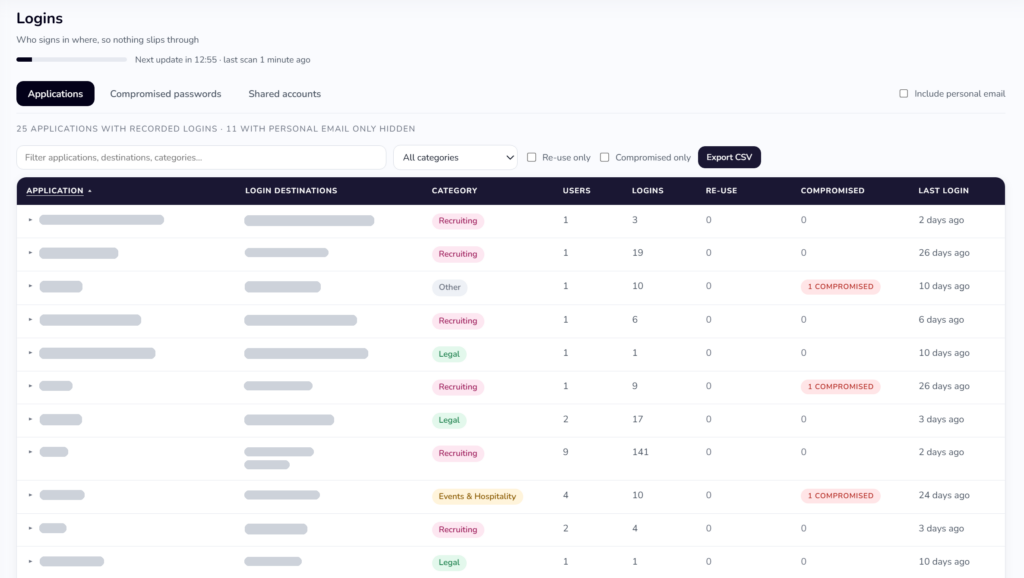
See every app your people use, so nothing sits outside IT’s view. Login Watch shows every application your people sign in to, not just the ones IT set up. Each sign-in destination is listed by category and by user, so shadow IT comes to light on its own.
This makes offboarding far more complete. When someone leaves, you can see every account they held . Login Watch also flags re-used and compromised passwords for each application, so you can act on weak or breached credentials before an attacker does.
Email Posture
Every Domain’s Email Defences, Checked Daily
Find the gaps in your email records before they cost you delivery or let someone spoof you. Email Posture checks the MX, SPF, DKIM and DMARC records of every domain, every day. SPF is tested the way the public checkers test it, covering lookup limits, loops and syntax, with any problem explained in plain words. A missing DMARC record, or a policy of none, is called out as a problem. MX records also show whether every mail route goes through ThreatSpike, so you can spot mail being routed past the gateway.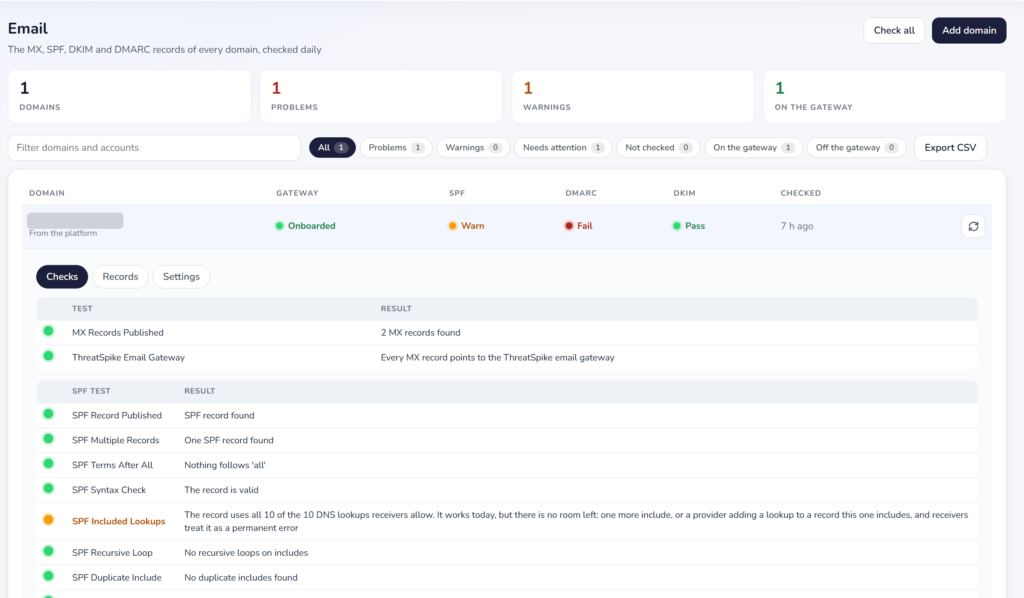
Running the Work
Task Hub
Who Is Doing What, and When It Is Due
Keep projects on track without chasing people for updates. Task Hub shows who is doing what, and when it is due. Work is grouped into workstreams, each with an owner, a due date and a status. Drop in a meeting transcript and the actions are picked out for you. Open, due this week, overdue and unassigned tasks are all visible at a glance, so nothing slips.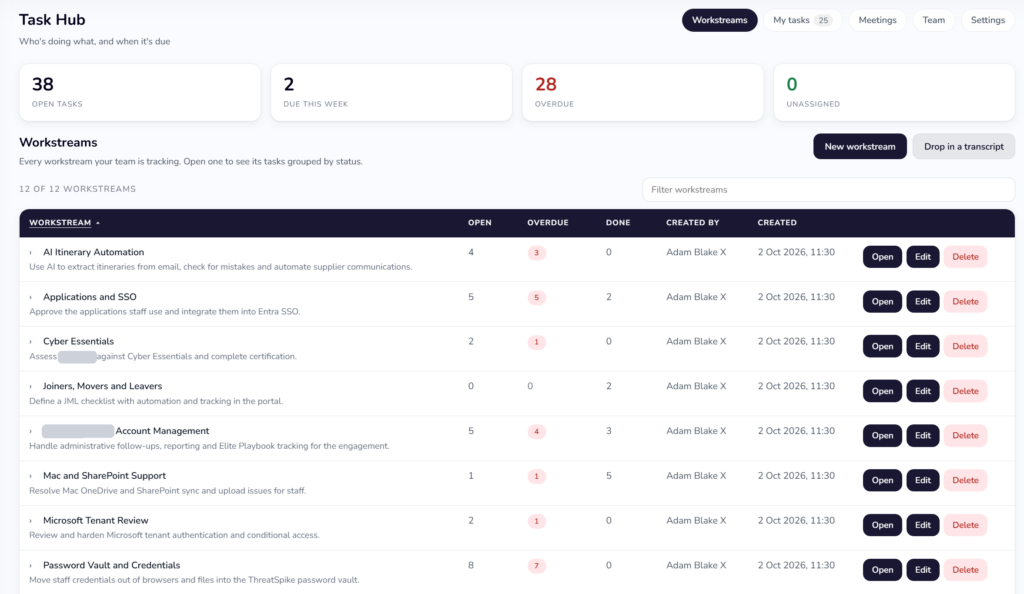
Email eSignature Management
One Signature on Every Email, From Every Device
Keep every email on brand, without updating signatures person by person. Email eSignature Management puts one signature design on every email, from every device. You design a template once and it fills in each person’s details from your directory. Change the logo and every signature follows. Signatures are added as mail leaves through the ThreatSpike Email Gateway, so there is nothing to set up on any device. Outlook, web and phone all look the same. If your directory has gaps, mark a line “hide if empty” and it disappears for anyone without that detail, rather than leaving a stray label behind.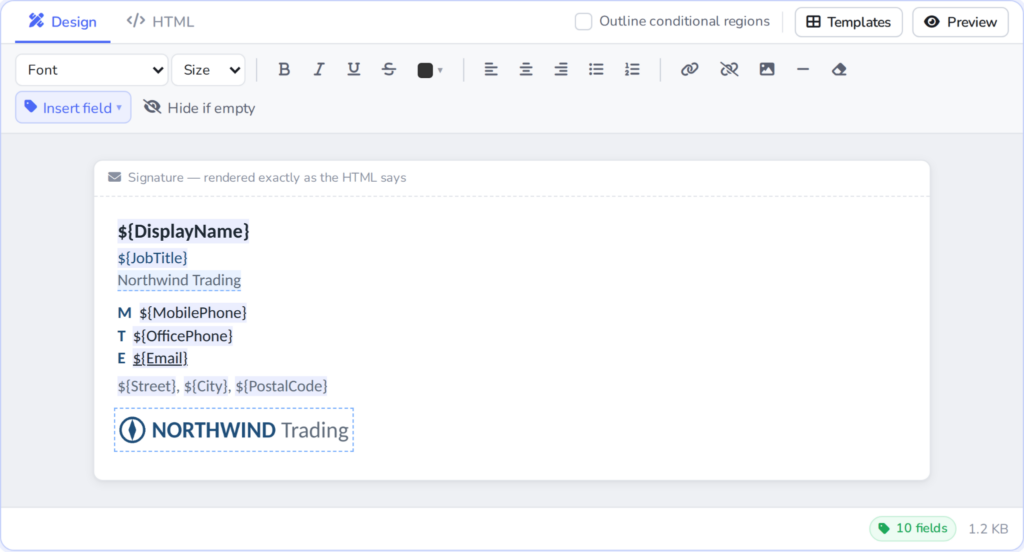
New and Improved Features
Domain Squats
Look-Alike Domains, Caught Before They Are Used
Spot look-alike domains before they are used for phishing or brand impersonation. Look-alike domains are a favourite tool for both, and Domain Squats now catches them before they are used. Every day, newly registered domains are checked against your brands. Each look-alike gets a risk score and a label for the technique used, such as a near match. When a domain is rated high risk, an incident is raised for an analyst on every account that owns the brand, complete with the analysis and a conclusion. You do not need to chase these up. Later scans update the incident automatically, and if the domain turns out to be benign it is closed as a false positive.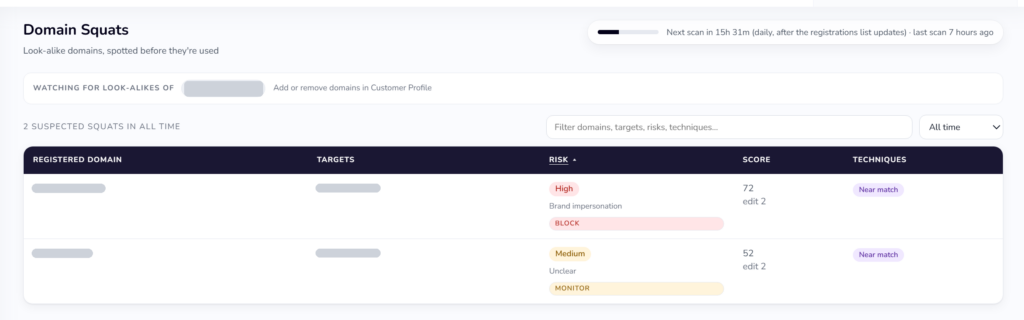
Ticketing
Support in Nine Languages, With VIPs Put First
Everyone gets support in the language they read best. Ticketing now supports nine languages, including French, German, Spanish, Italian, Japanese, Simplified Chinese and Brazilian Portuguese. Ticket content is translated automatically for each reader, with the original always one click away. The ThreatSpike Bot in Microsoft Teams is always online and explains itself. Its commands, such as listing or resolving your tickets, appear in a help message, so nobody has to remember them. VIPs are now put first. Chief officers and founders are recognised from their job title, and their tickets go straight to Critical before an agent even opens them.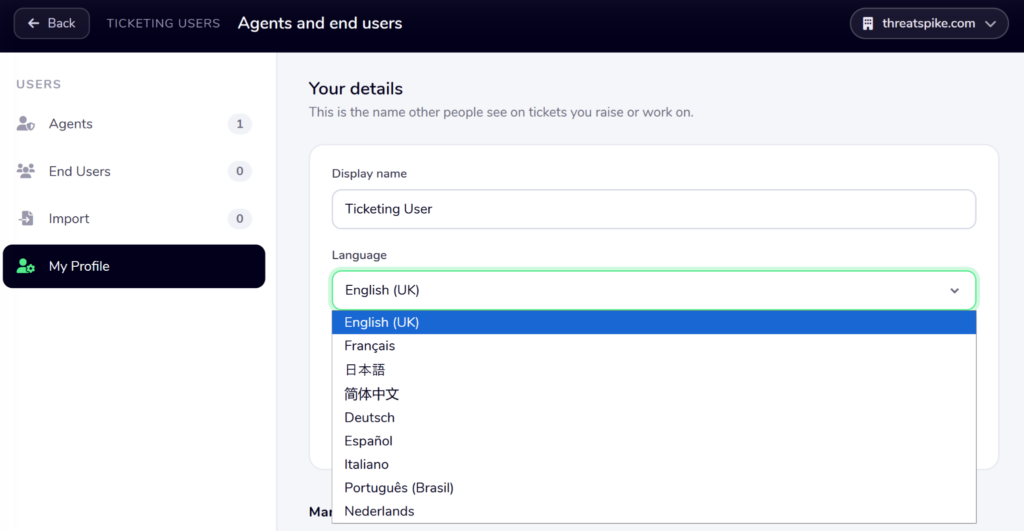
Early Access
Change Management
Plan Changes Together, With No Surprises
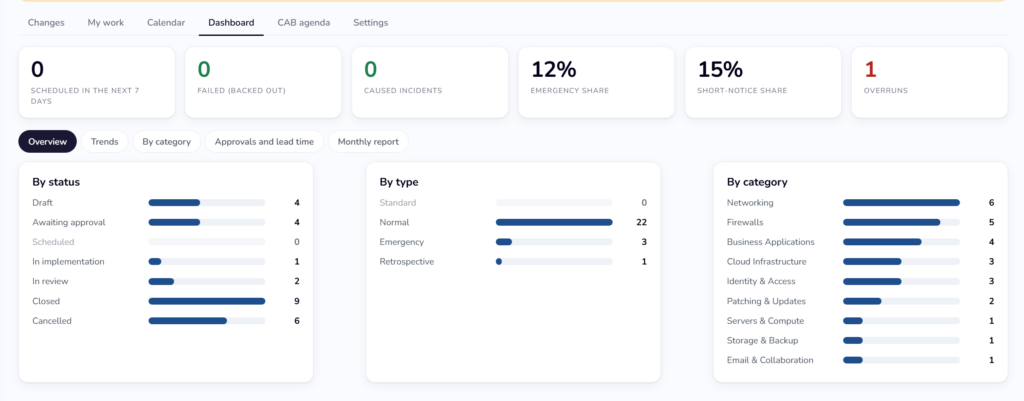
Avoid outages caused by changes nobody knew were coming. Change Management helps you plan changes together. Every change carries its type, risk score, window and owner, and goes through risk-scored approvals. A shared calendar marks change freezes and weekends, and exports to your own calendar. The CAB agenda writes itself, listing what is waiting for a decision with the earliest window first. *Change Management is in early access, so some features are still being built and may change.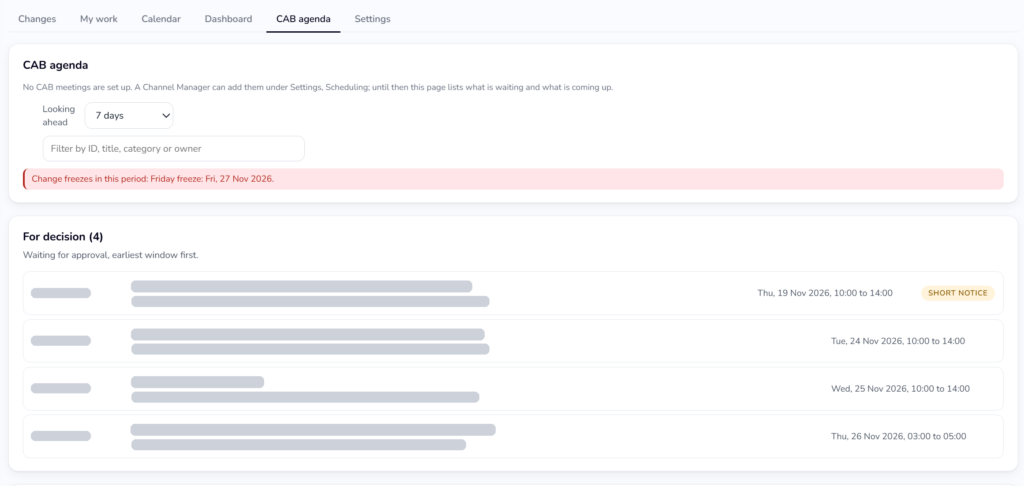
What’s next
All of these features are available in the ThreatSpike platform now, with Change Management open to early access customers. If you would like a walkthrough of any of them, or want to ask about early access, get in touch with your account manager.