[New Feature] ProofPoint SaaS integration
Another SaaS integration for the books! Incidents can now be automatically generated in the portal
from email addresses in ProofPoint alerts. These are then linked to portal users, as well as any
devices those users are logged in to.
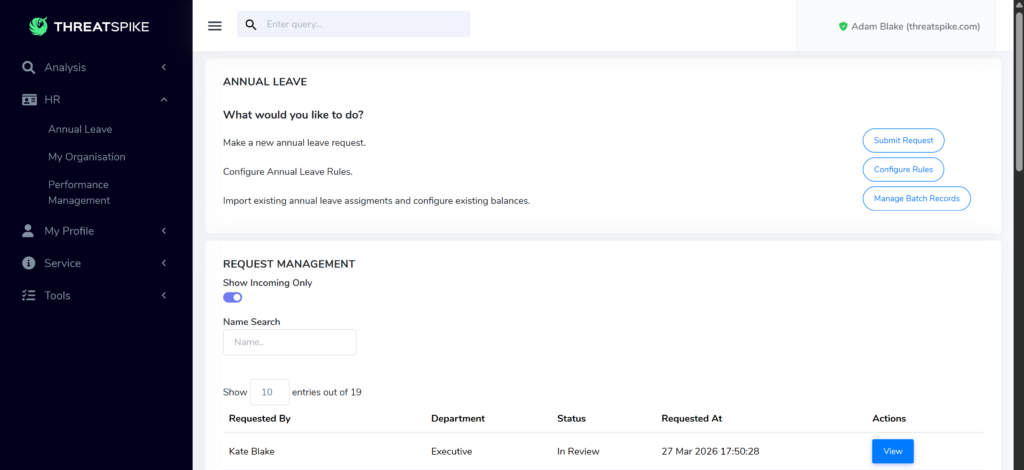
[New Feature] HR: Annual Leave Tracker
Holidays are no longer forbidden! Our HR platform now includes an Annual Leave Tracker,
allowing managers to record and approve requests, with full email notifications.
[New Feature] MFA Support for Password Vault Auto-fill
Enhanced the password vault experience with support for Multi-Factor Authentication (MFA)
during auto-fill. Enjoy an extra layer of protection without disrupting your workflow!
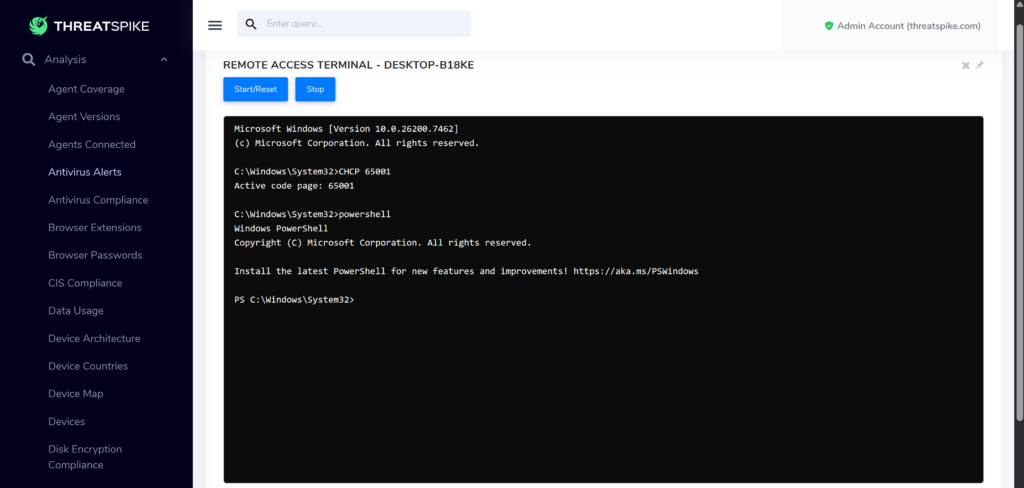
[New Feature] Remote Terminal Dark Mode
Save your eyes – the terminal now defaults to dark mode!
[New Feature] Ability to Lock Portal users
Attention! Lockdown is now in effect! Portal users can now be locked to prevent login.
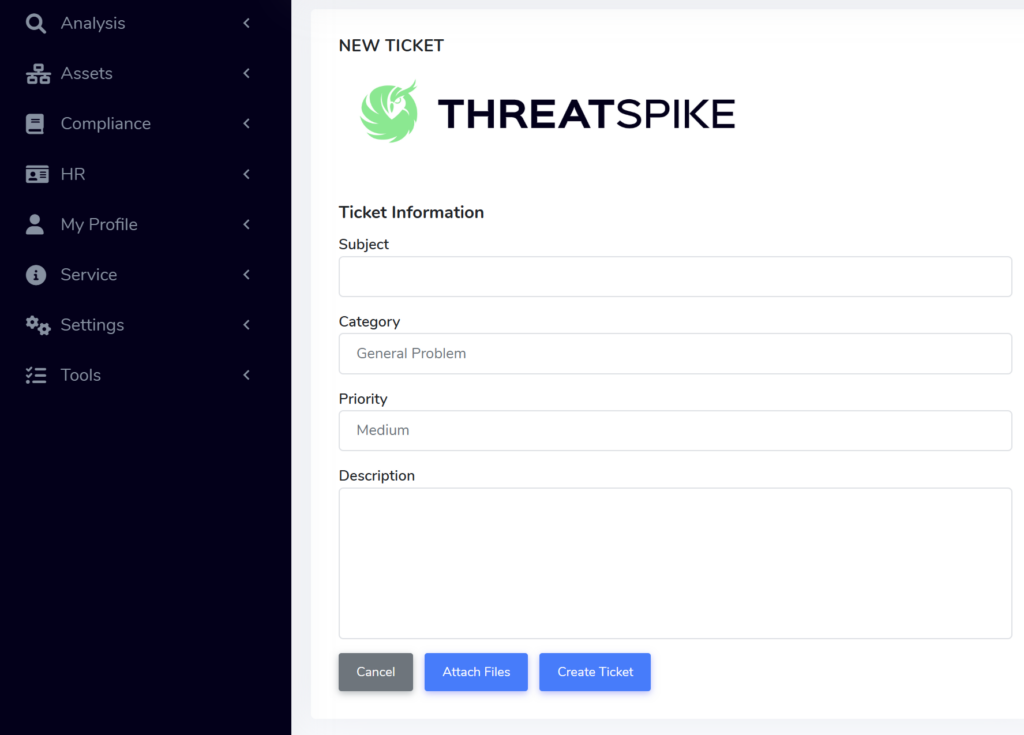
[New Feature] Tailored Ticketing Forms
Empower your teams with fully customisable ticketing forms designed to align with your brand
and operational needs. Configure fields, structure, and presentation to ensure every ticket
captures the right information whether it’s engaging with us or powering your own customer
workflows!
Email Gateway: Improvements
As always, we have spent a significant amount of time improving the Email Gateway
experience. From catching the latest threats to reducing false positives & ensuring stability of
the platform, lots of hard work goes on in the background!
Thank you to those that continue to report phishing emails and provide feedback
Other Improvements & Customer Requests
New Features:
● Ticketing: Add a “Requester” column to ticket table to see who the ticket was created by
● Ticketing: Allow custom auto-acknowledgement message to be set for support inboxIncidents: Make Affected Devices / Users clickable if they resolve to an entity
● Reporting: added “Duration” column to productivity reports
● Software Deployments: added “Uploaded” timestamp to auto-deploy package resources
● Add new edit button to the “View Report” page
● Add relevant file name to export file in “View Report” page
● Add new “Type” Column to Credentials Page “Vault” table
● Network Analysis: whitelists now apply to source as well as destination
Improvements:
● Data leakage email incidents – ability to scope by user
● Ticketing: Change collapsed ticket table to show “Requester” column rather than “Tasks”
column
● Name exported reports after their type, export date. No more “export.csv(5)”!
● Limit Entra device sync to just devices from the past 30 days
● Expanded “show device data usage” graphs to include “Last Day” and “Last Hour”
options
Bugfixes:
● Logs and Files now successfully download, even when devices are syncing
● Optimize Okta user sync time
● Software Deployments: fixed default Winget package version ordering
● Graphs on Automated Phishing page no longer constantly resize in certain situations
● Fixed Web Page Scraping for some websites
● Disabled MFA portion of Device Overview when a device has no secret keys
● Fix Ticketing auto-reply emails sometimes having an incorrect identifier
● Fixed error notice on mobile app