
[New Feature] Autofill Passwords and MFA with ThreatSpike Vault
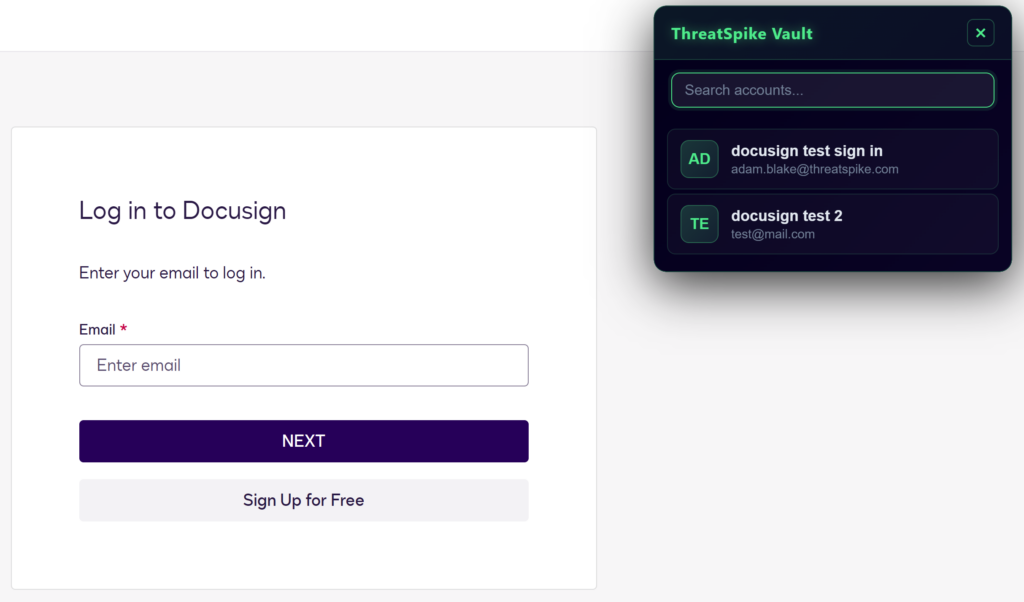
ThreatSpike can now autofill your email, password, and even MFA using credentials stored in your Vault. The popup UI allows you to easily select between multiple credentials.
Coming soon:
Expanding the website support for autofill
Automatically importing logins to the ThreatSpike Vault upon login
[New Feature] One-click Zero Trust Hosting with ThreatSpike WAF
Use any device with the ThreatSpike Agent running as a backend server to host your internal applications. Since it’s exposed via ThreatSpike’s WAF, there’s no hole-punching required – we’ll handle all of the security!
[New Feature] Optionally notify end-users of Data Leakage incidents with a customizable template
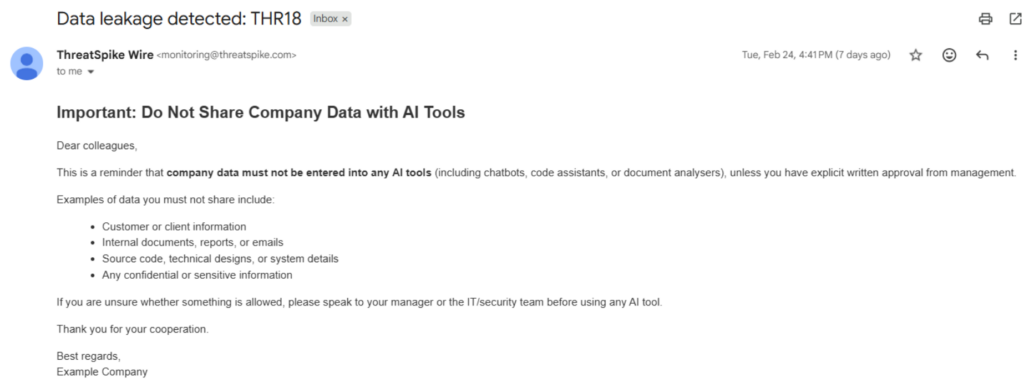
Great for reminding users of company policy around copying sensitive information! The template can be set under Notifications, and the account-wide setting is under Settings -> Security Incidents.
[New Feature] Ability to Sync Entra devices, improving Agent Coverage reporting
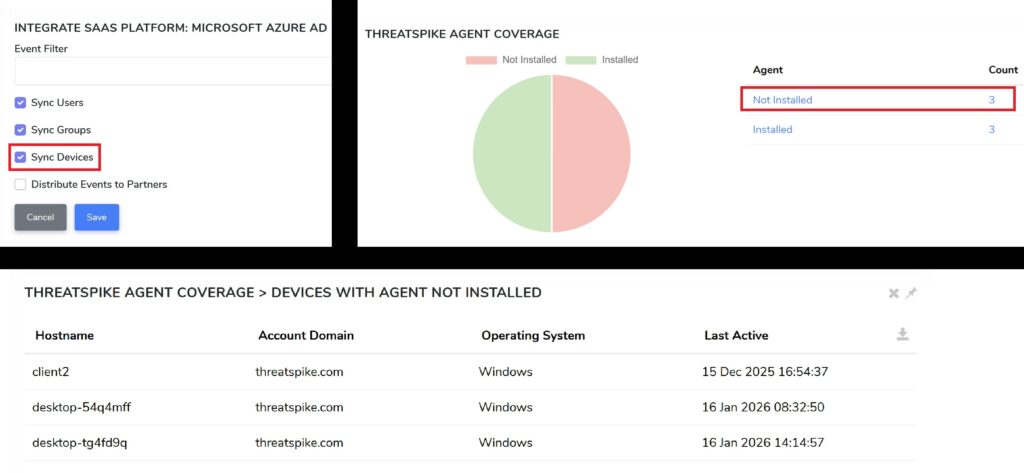
ThreatSpike now (optionally) syncs all Entra devices via the existing Azure AD integration.
After deduplication, the “Agent Coverage” screen under Analysis will update: showing all Entra devices with and without the ThreatSpike Agent installed.
For existing LDAP syncs, devices without the Agent installed also now report Operating system name and version – very helpful when performing risk assessments on legacy domain-joined machines!
[New Feature] Request Retests for Individual Findings
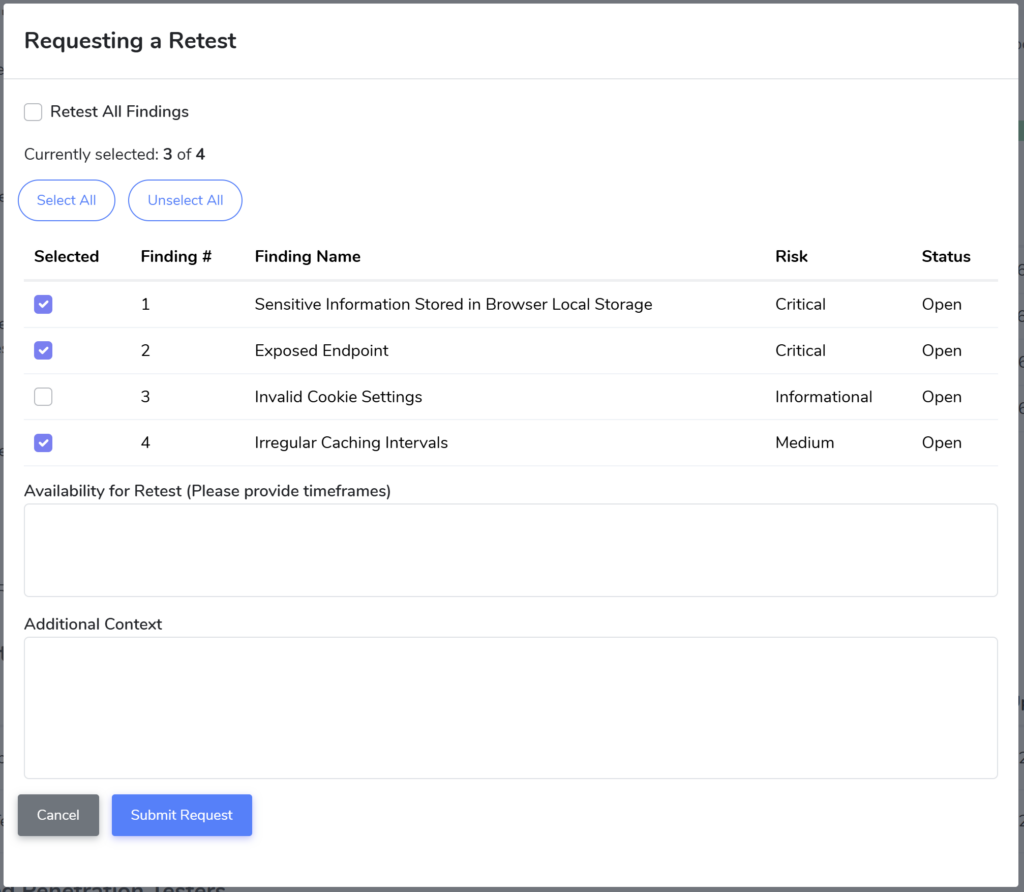
We are continually improving our self-serve penetration test offering with your feedback. The latest addition is the ability to request individual findings to be retested!
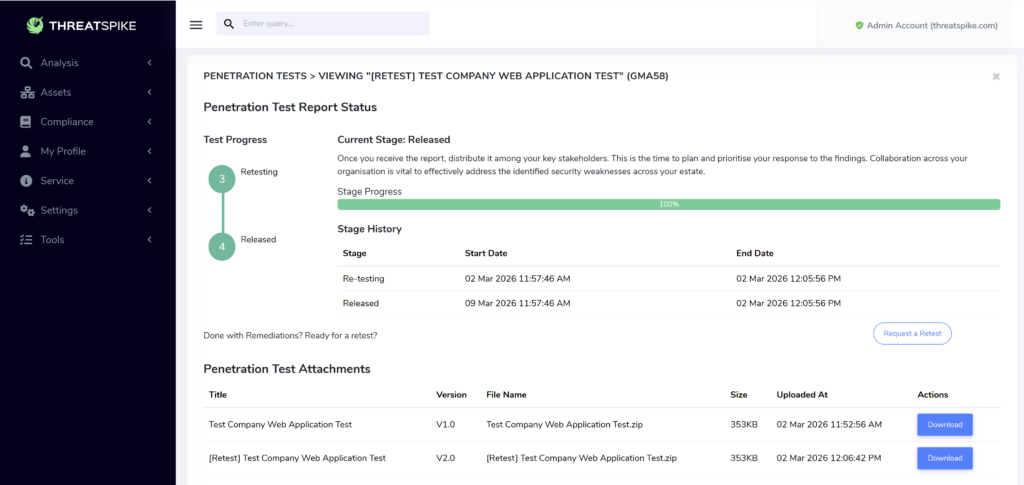
[New Feature] Red: reports now attached directly to Penetration Test Report Status
Previously, reports were shared using our File Shares feature. They’re now integrated directly into the Penetration Tests menu for each test!
This includes all historical versions of a test
[New Feature] One-click to Sync a device’s clock
There’s a new button in the Device Overview: “Fix Clock”. Very important for any kind of time-based authentication!
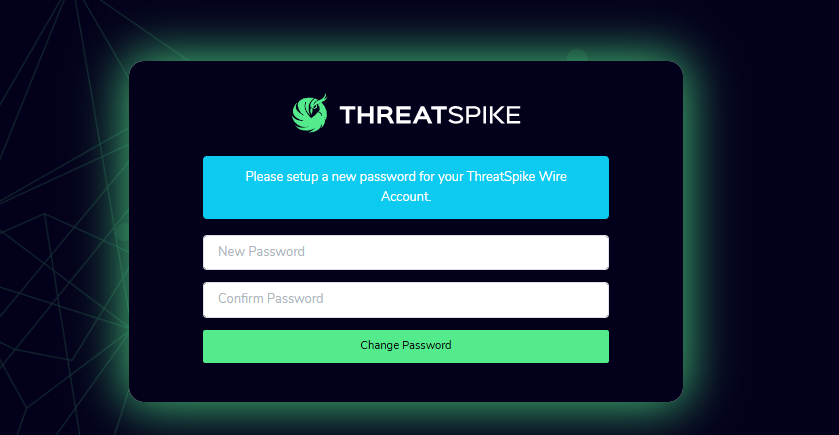
[New Feature] Password Reset Screen
If you’ve forgotten your password, no worries — we’ve made it easier to get back in.
When you next log in using the temporary password provided by your service provider, you’ll be guided through our password‑reset screen, where you can choose a new password quickly and securely.
Email Gateway Improvements
Just like last month, we have spent a significant amount of time improving the Email Gateway experience. From catching the latest threats to reducing false positives & ensuring stability of the platform, lots of hard work goes on in the background!
For those of you that continue to report phishing emails and provide feedback – thank you.
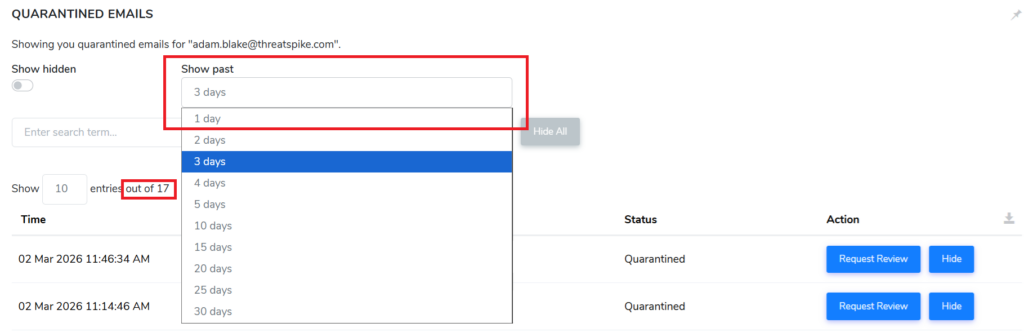
[New Feature] Email Gateway: Improved Quarantine Filtering
When you view your quarantine, you can now choose to only see emails from the past few days rather than the entire month, allowing you to focus on your latest messages and hide the noise.
Other Improvements
- Password manager now includes passphrase generation
- Support for wildcard characters in email block list
- Fixed typing in suggestion dropdowns
- Report names no longer clash, opening correctly regardless of name
- Web Page scraping now works correctly on complex elements like in Google Slides
- Expanded “show diagnostics” query to include failures to capture productivity
- Added Device Groups at the bottom of the list, instead of having to scroll up
- Reporting: added Report Type and number of results columns,
- Reporting: added default naming, 1 week time window button
- Reporting: default to unticked for “all users and devices” scoping
- Incident Reporting: Add “Close Date” column to Analysis -> Incidents
Secure Score (customizable ThreatSpike reporting), launched last month:.
- Multiple bug fixes and improvements
- Sub-account support, inheriting a personalized view from another account
- Ability to apply customizations at the metric level
ServiceNow Improvements:
Add a history of related records to ServiceNow tickets for easier triaging
Bugfixes