A lot has landed in the platform this month. Below is everything that’s new, what’s improved, and what’s been fixed in April’s ThreatSpike product update.
New Features This Month
Knowledge Base
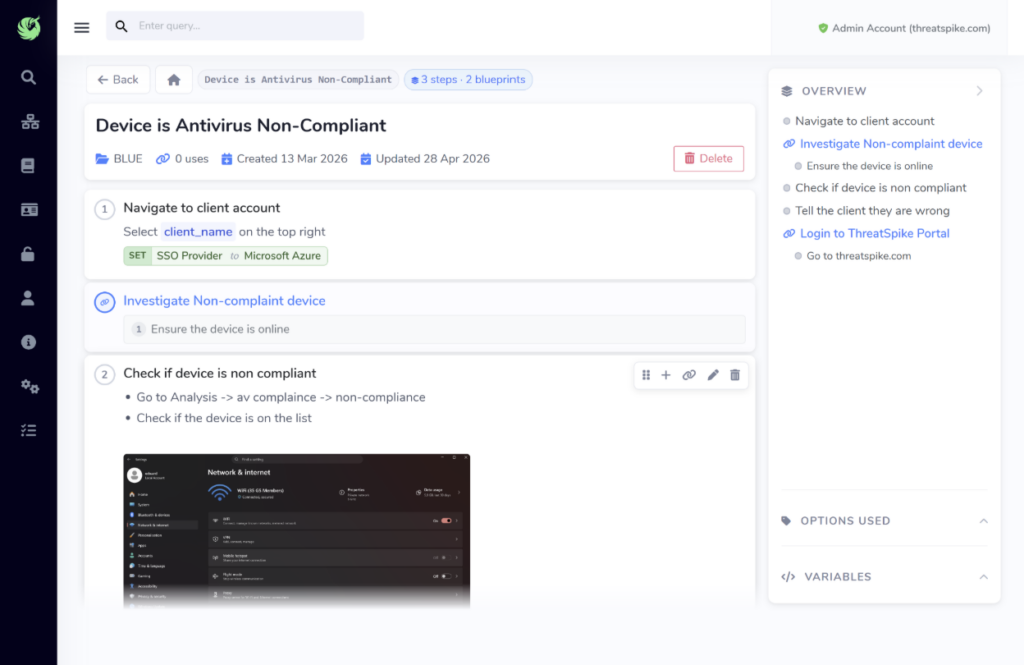
Your team’s institutional knowledge now has a permanent home inside the platform. Upload documentation, build it into blueprints, and make it instantly accessible to anyone who needs it. No more hunting through email threads or Slack history for the answer to something you’ve already solved. So the next time someone asks “How do I do this?”, you’ll have the answer waiting!
Network Management
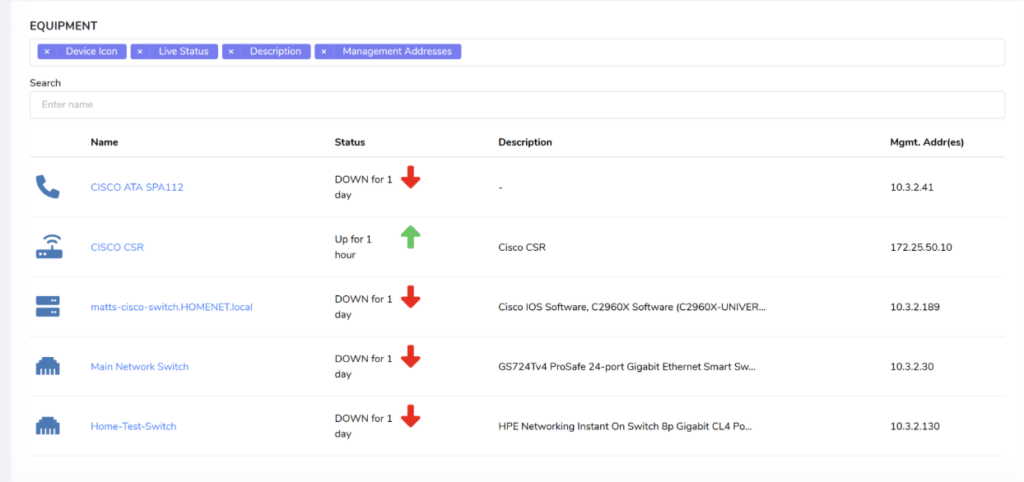
Network inventory now builds automatically. You can configure specific IP ranges to control exactly what gets discovered – useful for keeping phones, home routers and 4G access points out of the picture. ICMP availability monitoring has also been updated, and the full navigation experience has been made consistent throughout.
Ticketing: Dashboard, Widget, Banner and Closure Reporting
Several interconnected ticketing features have gone live together this month:
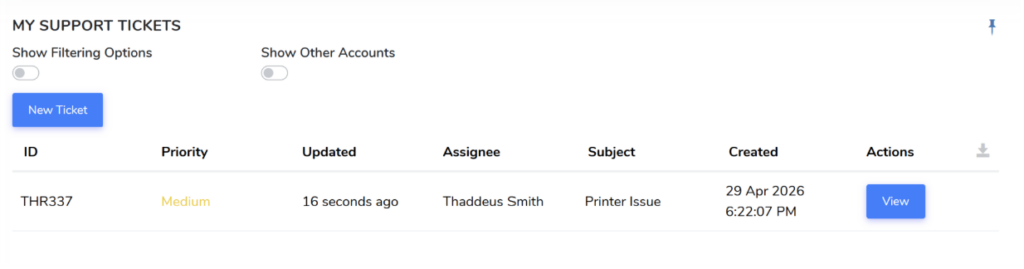
Ticketing Dashboard: End users now have a dedicated space within the portal to raise and track their own tickets. Admins enable this by assigning the new end-user ticketing permission.
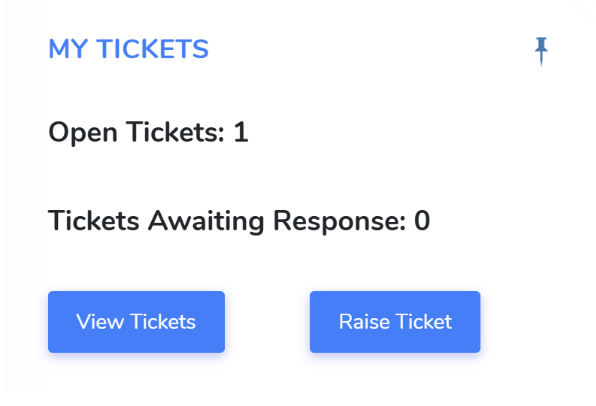
My Tickets Widget: Sits directly on the dashboard. Shows open ticket count and how many are awaiting your response, with shortcut buttons to raise a new ticket or view existing ones without navigating away.
Ticketing Banner: Admins can now add a customisable banner to the top of the ticket creation form. Useful for surfacing guidance, reminders, or contextual information before a ticket is submitted.

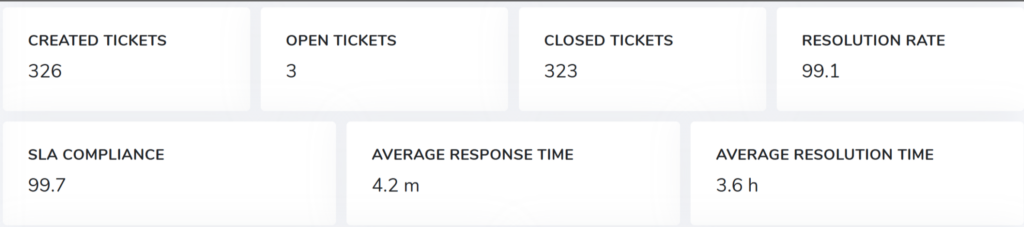
Ticket Closure Reporting: A new dashboard panel tracks ticket closure rates over rolling 7-day windows, with breakdown by status, category or priority. Designed to give team leads a quick read on throughput without digging into individual tickets. Is your team closing more tickets than last week? Now you’ll know.
Database Monitoring
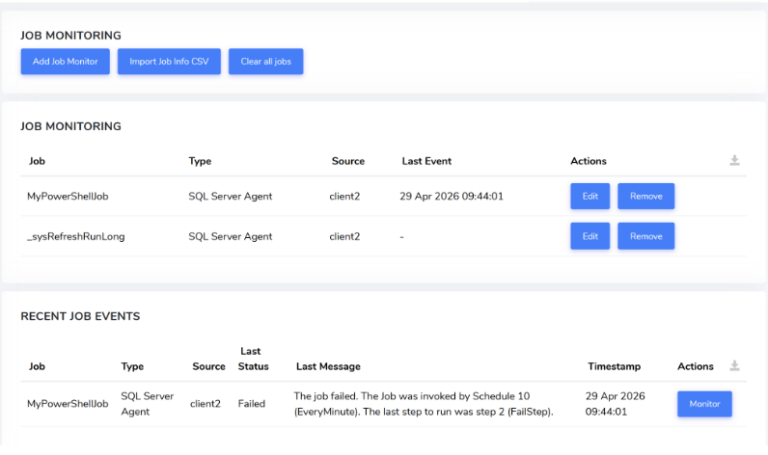
SQL Server environments are now monitored directly within the platform. Configure alerts, monitor SQL Agent jobs, and let the platform raise tickets automatically on failure. Nothing gets missed because nobody saw the email.
Other Improvements and Fixes
Improvements:
- Secure Score: Add network analysis control to the list of scoring metrics.
- Secure Score: Add deception technology control to the list of scoring metrics.
- Annual Leave tracker: Improved responsiveness when selecting autocomplete suggestions.
- Network Management: Add ability to restrict auto discovery specified CIDR range(s). This prevents devices like phones being detected, as well as peoples home routers and 4g access points.
- Network Management: Added engineering mode.
- Network Management: Improved ICMP availability monitoring logic
- Network Management: Various other small UI/UX improvements such as making sure times always display as local time and not UTC.
- Ticketing: Custom SLAs per ticket category to customize the SLAs for each individual ticket category you create.
- Ticketing: Protection against ticket SLA emails having duplicates sent in the case that event loop is blocked.
- Ticketing: Improve UI to not show expected time until response on a ticket after a response has been given.
- Ticketing: Improved protections around SLA warning emails.
- Ticketing: Add a method to add a custom extra field across all categories on the customizable form.
- Ticketing: Add option for ticket creation extra fields to be mandatory.
- Ticketing: Add option for ticket creation extra fields to be a dropdown with specified options.
- Ticketing: Add option to set a default placeholder for description text field box on customizable form.
- Ticketing: Add option to customize how default fields are labelled on the customizable form.
- Ticketing: Add option for default fields to be hidden to the user and automatically filled out by AI instead of the customizable form.
- Ticketing: Add options to change priority selection to impact/urgency selection on ticketing channels.
- Ticketing: Change response time SLA to warnings to be more clear.
- Ticketing: Change “Show Support Ticket X” query to have permissions.
- Ticketing: Change reply status to also reflect whether the ticket closed or not.
- Ticketing: Assign ticket automatically to first responder.
- Ticketing: Change response time SLA to only consider first response.
- Ticketing: Remove ticket navigation from the right hand panel for users only.
- Ticketing: Change permissions so Service -> Support Tickets isn’t displayed for end-users.
- Ticketing: Overview Statistics. Add some small panels to the top of the ticketing management statistic dashboard that display an overview of some key ticketing statistics.
Bug Fixes:
- Secure Score: Fix for Network Analysis Enabled statistics not reporting correctly.
- Secure Score: Fix reporting -nan% for CIS status scoring metric in specific cases.
- Annual Leave tracker: Fix modal close issue leaving grey overlay. Modal now clears correctly on annual leave rejection.
- Ticketing: Fix for ticket response time tracking not correctly updating when a worker replied to a ticket.
- Ticketing: Fix ticketing Open/Close flap caused by old DC syncing failure.
- Ticketing: Fix for SLA resolution time approaching email not being sent.
- Ticketing: Fix response SLA being marked incorrectly.
- Ticketing: Remove one-shot data query behaviour for some dashboard ticketing statistics.
- Ticketing: Fix for support ticket SLA resolution time exceeded email notification being sent prematurely.
- Ticketing: Fix for ticket response time tracking not correctly updating when a worker replied to a ticket.
- Ticketing: Fix ticketing Open/Close flap caused by old DC syncing failure.
- Ticketing: Fix for SLA resolution time approaching email not being sent.
- Ticketing: Fix response SLA being marked as responded incorrectly.
- Ticketing: Remove one-shot data query behaviour for some dashboard ticketing statistics.
- Ticketing: Ticket notification emails relating to SLA resolution time being exceeded will now no longer be sent prematurely
- Network Management: Fix inconsistent back button behaviour when entering the network inventory from different areas