AI is now in the pentest reporting workflow and plenty more updates from July. Ticketing gets even more updates, the Knowledge Base adds version control, and Fivetran connects to Job Monitoring. Here’s what shipped.
New Features This Month
Pentest reporting without the manual write-up
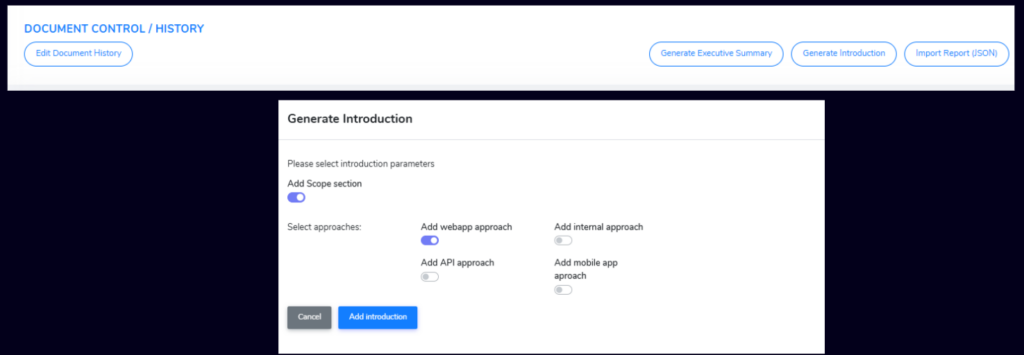
AI-Assisted Pentest Reporting
Writing up pentest results has always been the part that sits between finding something and acting on it. It’s time-consuming, it’s manual, and it delays the work that actually matters. AI now handles the drafting: generate an executive summary or a full introduction directly from your findings, with scope, approach and methodology structured automatically. The team spends less time at a keyboard and more time on what the report is actually for.
Raise & manage tickets without leaving Microsoft teams
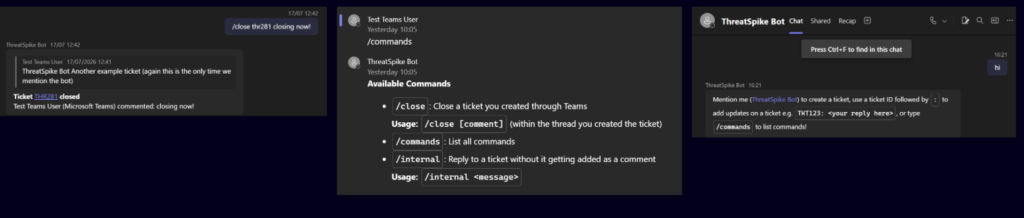
Microsoft Teams Integration
If your department lives in Teams, having to switch to another tool to raise or manage a support ticket is the kind of friction that adds up. New Teams bot commands let you handle tickets directly from Teams using /close, /commands, /list, and /internal, with permissions properly enforced on anything created this way. Duplicate ticket protection is built in too, keeping your queue clean.
Ticketing That Works The Way Your Team Does
July’s ticketing updates are substantial. Five interconnected updates ship together, each addressing a different part of how teams manage, route and respond to tickets.
YOUR TEAM STRUCTURE, PROPERLY DEFINED
Stronger Team Structure & Assignment
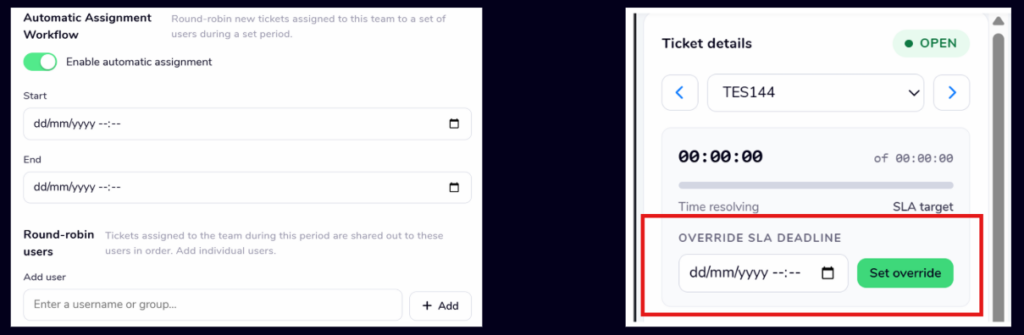
Teams now support a dedicated manager role, with the option to restrict ticket assignment to managers only. To distribute work evenly without anyone having to think about it, tickets can now be assigned automatically in rotation using Round Robin. Tickets assigned to a team but not yet picked up by an individual are now private by default.
SLAs THAT REFLECT HOW YOUR TEAM ACTUALLY WORKS
More Control Over Your SLAs
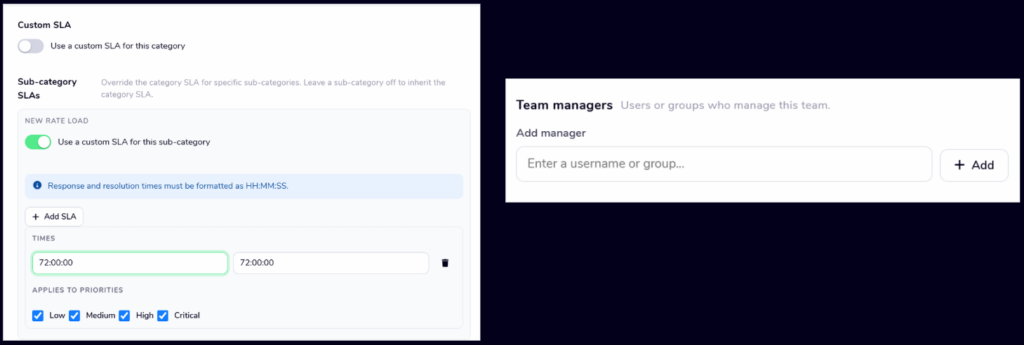
SLA targets can now be set at the sub-category level, so different request types are held to the right response times. Managers can manually delay the SLA on an individual ticket when circumstances call for it. Teams can define their own working hours, and any ticket assigned outside those hours has its SLA automatically paused: your team is only ever measured against time they’re actually available.
NOTIFICATIONS THAT DON’T CRY WOLF
Quieter, More Relevant Notifications
Ticket notifications have been reworked to cut down on noise. You’ll only be notified when an update is made to a ticket you own or are assigned to, when your team is assigned a ticket, or when there’s a relevant update on something you’re following. Nothing else gets through. You’ll now be notified when:
- an update is made to a ticket you own, by someone else
- an update is made to a ticket you’re assigned to, by someone else
- your team is assigned to a ticket (including when the assignment is made by AI)
- there’s a relevant update on a ticket you follow or are CC’d on
A DASHBOARD THAT REMEMBERS HOW YOU WORK
Faster, More Personal Dashboard
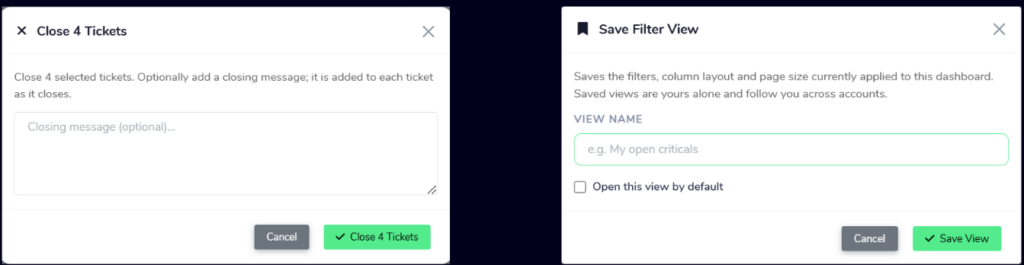
Every time you log in, you’re back to the default view – filtering back down to the tickets you actually care about before you can do anything useful. You can now save specific filter views and set one as your default, so the right tickets are there from the moment you open it. Batch close lets you select multiple tickets and close them in a single action when you’re working through a queue.
TICKET CATEGORIES THAT SCALE WITH YOUR OPERATION
Improved Ticket Categories
As operations grow, the inability to name categories clearly or organise them with any hierarchy becomes a real constraint. Category names are no longer capped by a character limit, and categories now support sub-categories, giving you a proper structure for organising tickets the way your team actually works. Bulk updates and quick edits from the Dashboard are both available.
SMOOTHER EVERYDAY INTERACTIONS
Polished Ticketing
Small friction points in day-to-day ticketing add up. You can now add CC email addresses to form-based tickets, a confirmation banner appears when a ticket update has been sent successfully, and a confirmation animation plays when you copy a link from the Ticket View. Nothing groundbreaking, just a set of small things that make the experience feel more polished.

A Knowledge Base Your Team Can Actually Trust
Three Knowledge Base updates ship together this month, each addressing a different part of how teams build, maintain and share their content.
VERSION CONTROL AND PEER REVIEW, BUILT IN
A Proper Review Process
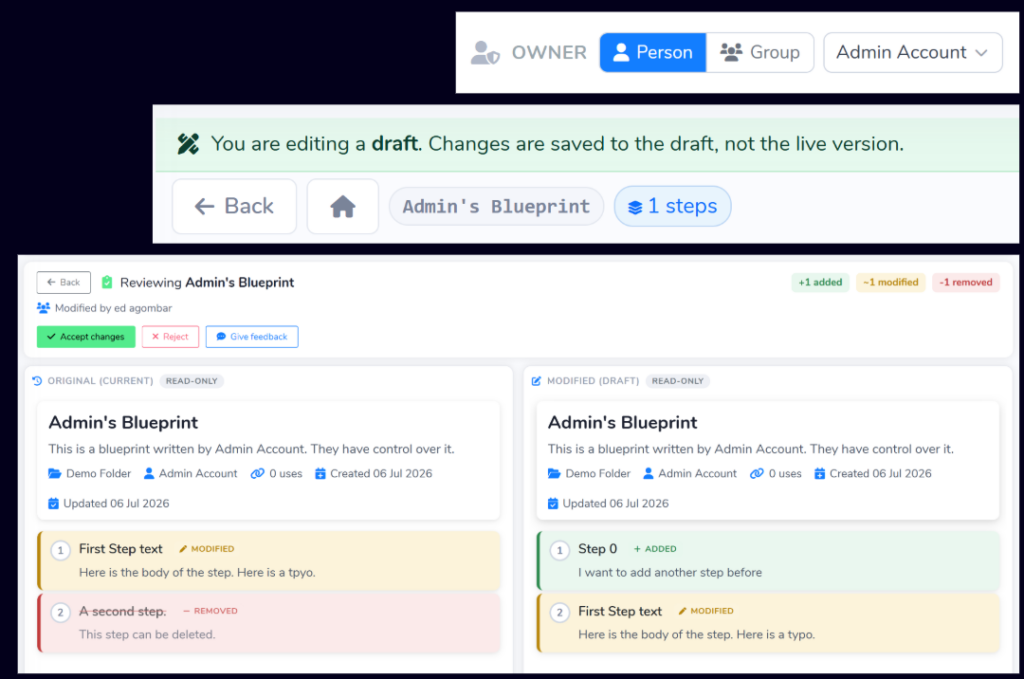
Without a review process, a Knowledge Base is only as reliable as the last person who edited it. Every Blueprint now has an Owner; edits made by anyone other than the owner are saved as drafts rather than going live immediately. Owners review proposed changes on a dedicated page, accepting, rejecting or sending feedback, with a full action history so you always know who changed what and why.
TAKE YOUR CONTENT OUT OF THE PLATFORM
Export to PDF & Markdown
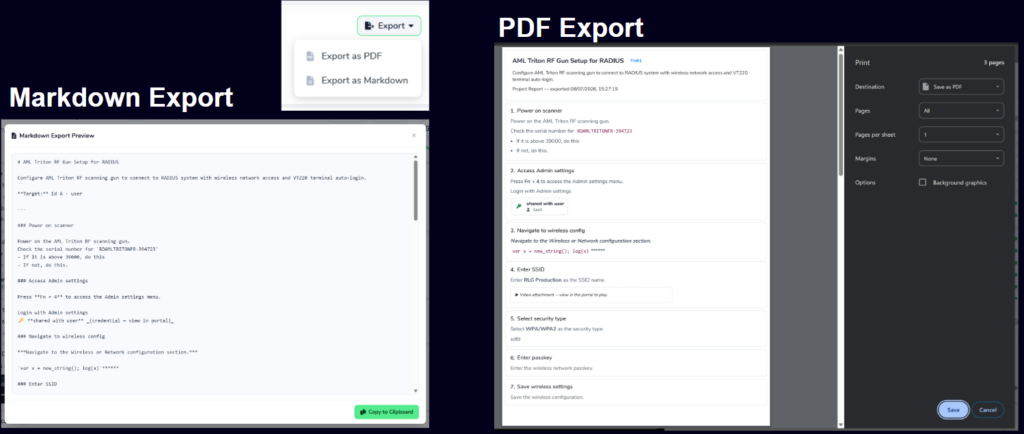
Your Knowledge Base content has been built inside the platform, which until now meant it stayed there. Projects can now be exported to PDF or Markdown a -polished document for sharing externally, or a portable format to reuse elsewhere.
A SMARTER PDF IMPORTER
Smarter PDF Blueprint Importer
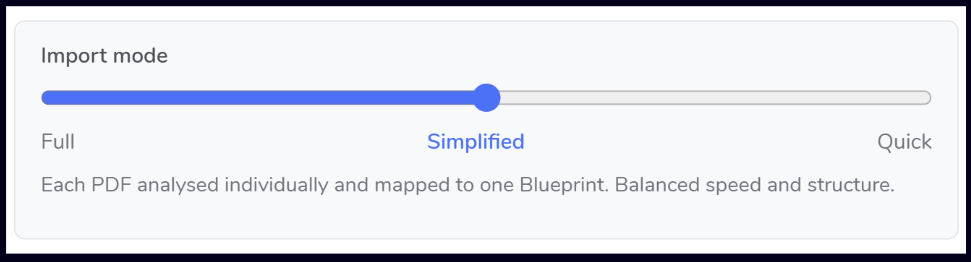
The previous importer dropped images when processing documents, which meant arriving in the Knowledge Base with content missing. Images are now supported, so nothing gets lost. A new import-mode slider gives you control over how documents are processed: Full combines multiple documents into a single structured set of Blueprints; Simplified creates one Blueprint per document.
Fivetran Pipelines, Inside Job Monitoring
Fivetran Integration
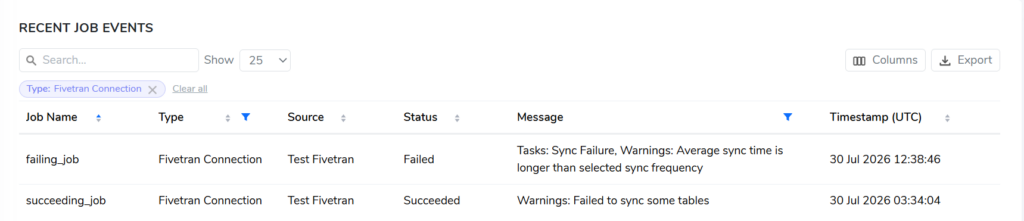
Fivetran jobs have been running alongside everything else in your environment, but with no visibility inside the platform. You can now bring Fivetran connections into Job Monitoring:
- Sync connection status so you always know the health of your Fivetran connections at a glance
- Configure alerts on failure to be notified the moment a job doesn’t complete as expected
- See Fivetran jobs in the daily job report, alongside a filterable table that makes it easy to zero in on what matters
The daily report email has also been polished with a clearer layout, easier to act on first thing.
Smarter Alert Handling For SQL Server
Smarter Alert Handling
When a recurring SQL Server issue fires an alert, it used to open a fresh ticket each time, regardless of whether a relevant one already existed. You’d end up managing duplicates for the same underlying problem. Alerts now reopen recent paused or closed tickets instead, keeping the full history in one place.
Send Devices Exactly Where You Want Them
Custom Web Redirects
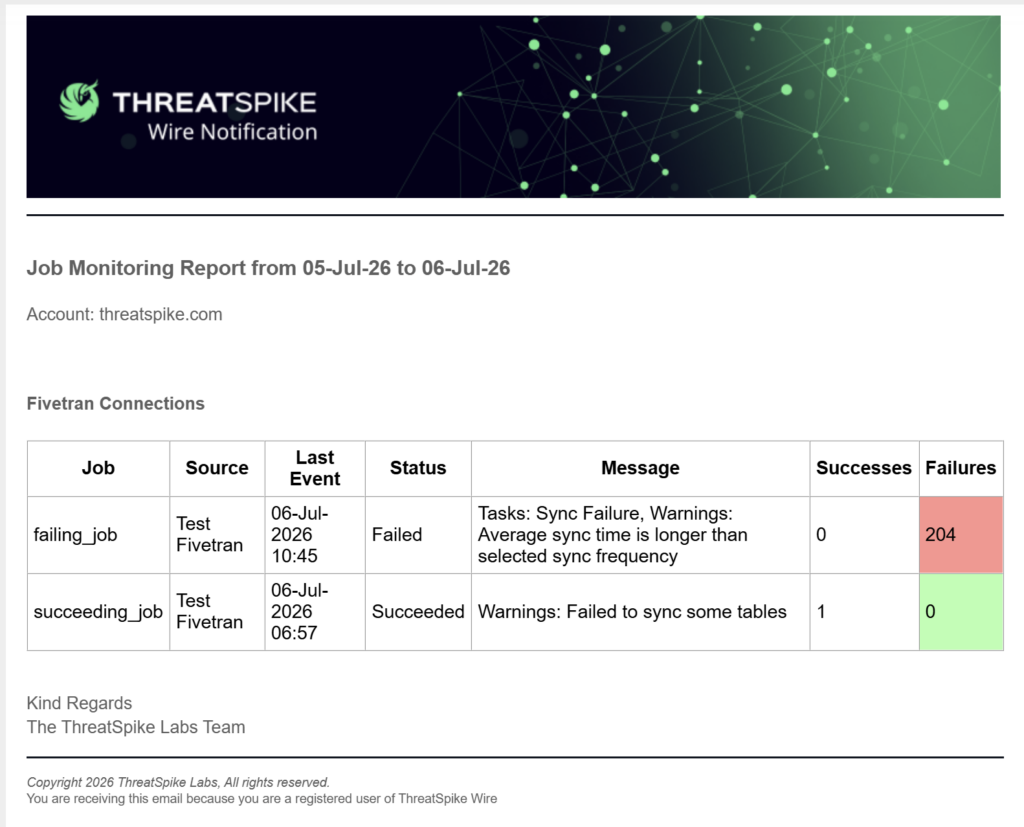
If someone lands on an outdated tool, an unapproved site or a link that should have been updated months ago, there’s historically been no clean way to fix it without touching the endpoint. You can now set custom web redirects at the device level, pointing any specified URL to a destination of your choice.
One Extra Step That Prevents A Costly Mistake
Cross-Account Credential Sharing Confirmation
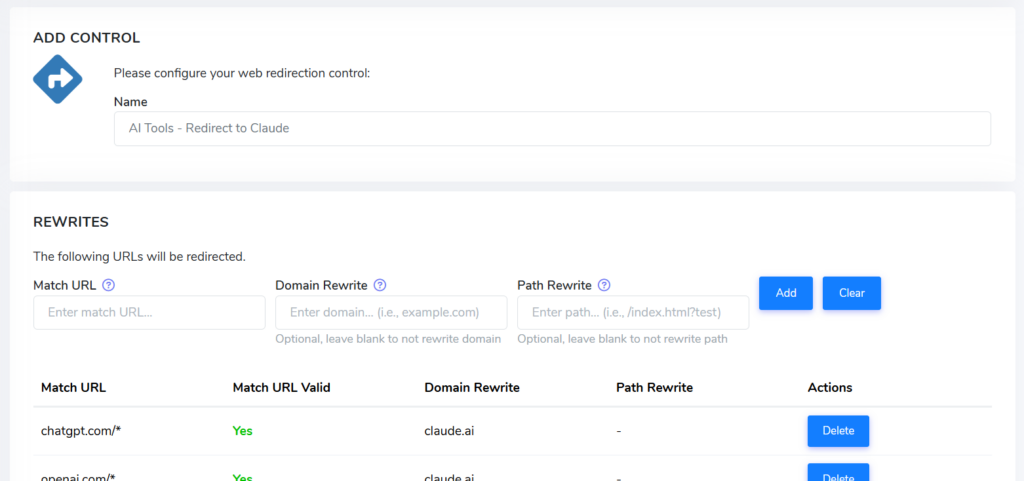
Granting someone from another account access to your credentials is easy to do accidentally and harder to undo. There’s now a confirmation step built in; the platform flags that the user is from another account before access is granted. A small friction that makes a consequential action deliberate.
Your Vendor Contacts, Actually Reachable
Vendor Management Mobile Numbers
When you need to get hold of a supplier quickly, you shouldn’t have to dig through old emails to find a mobile number. Vendor Management now lets you record a direct number for each point of contact, sitting alongside the rest of their details.
Know Immediately When A File Export Comes Up Empty
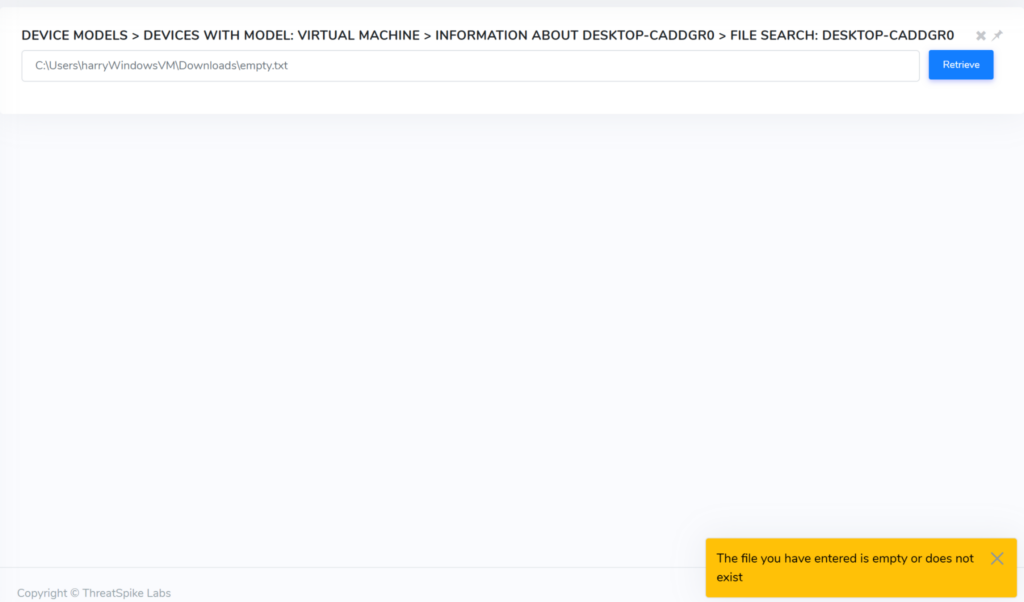
Empty File Export Notification
Exporting a file from a registered device and getting nothing back used to leave you wondering whether something had gone wrong or whether the file was simply empty. The portal now tells you immediately – no guessing, no wasted time chasing a problem that may not exist.
Remote Desktop Without The Security Warning
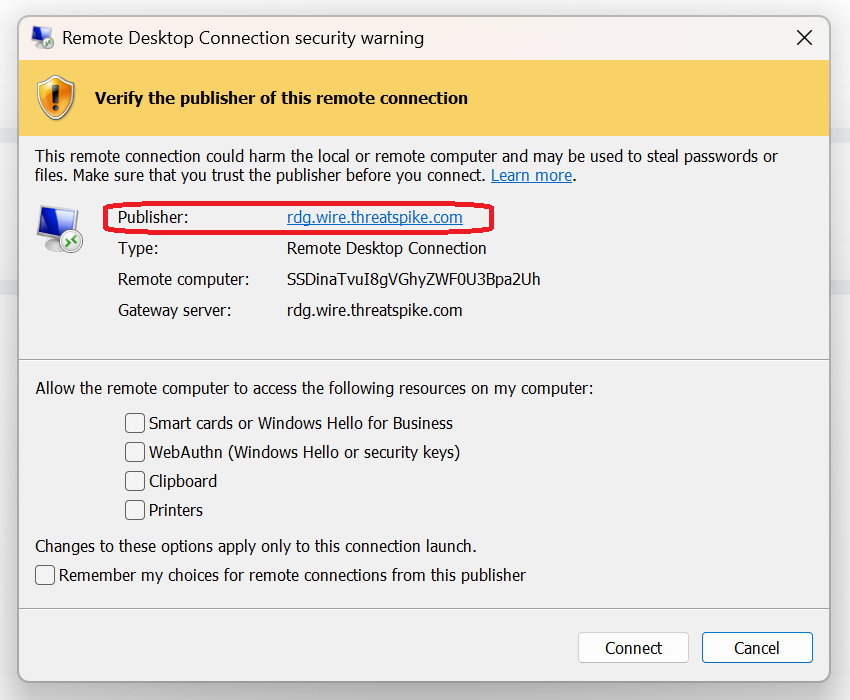
ThreatSpike Wire Publisher Certificate
Every time someone connected via ThreatSpike Wire, they’d hit a security warning asking them to verify the publisher, which is a friction point that had nothing to do with a genuine security risk. Connections are now digitally signed with a publisher certificate; the warning is gone, and you go straight into your session.
Always Work On The Latest Version
Automatic Portal Reload
If the portal updated while you were logged in, you’d end up in a half-updated state without realising it, seeing stale data or missing new functionality. The portal now reloads itself automatically when an update happens.
Know Whether You’re Looking At Live Data
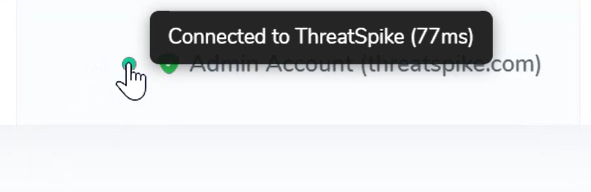
Connection Status At A Glance
Acting on data that turns out to be stale because your connection dropped quietly is the kind of problem you only notice after the fact. A new status dot shows whether your connection is stable, slow or disconnected, so you know before you act and you’ll never second-guess whether the screen in front of you is up to date.
Build More Powerful Custom Apps
Scheduling & Findings Data In Apps
Teams building custom integrations have previously been limited in how closely they could tailor ThreatSpike to their own workflows. Scheduling and the findings database are now available to Apps, opening up a wider range of custom integrations. Teams can pull this data into their own workflows and tools, tailoring ThreatSpike to the way they work.
Fewer Blind Spots In Your Environment
Broader Vulnerability Detection Coverage
A vulnerability you can’t detect is a risk you can’t manage. Vulnerability matching now includes the Siemens Automation License Manager, extending coverage across more of your environment. As always, wider coverage means fewer blind spots.
Folders That Stay Tidy Without Anyone Managing Them
Age-Based Folder Clearing
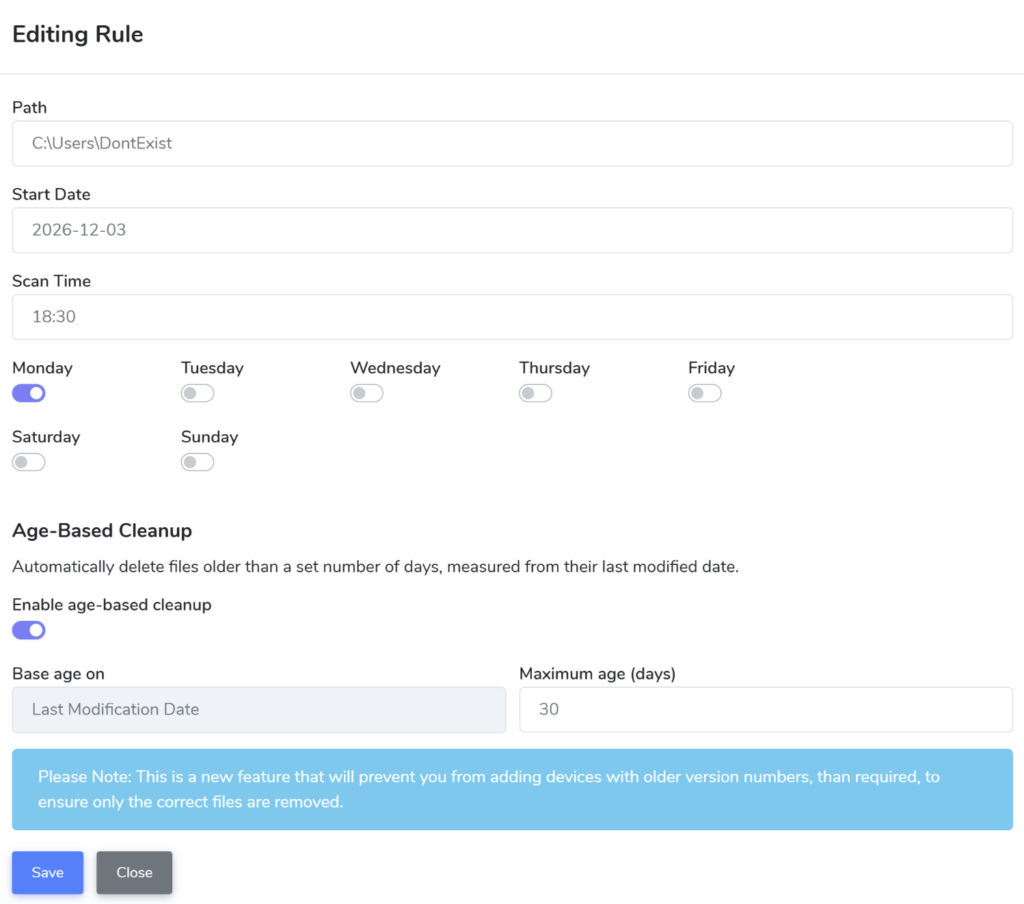
Stale files accumulate quietly until someone has to spend time clearing them out manually. The Folder Clearing control now supports age-based cleanup: set a maximum file age and anything older is removed automatically.
Find Whose Signed In Where, In Seconds
User Device Search
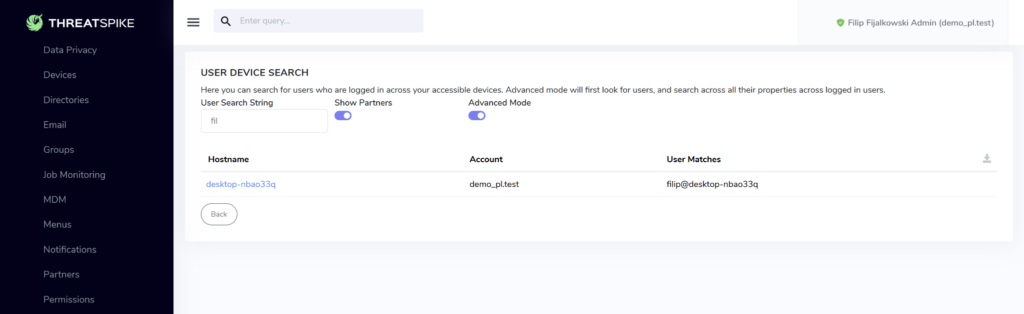
Tracking down which users are logged into which devices across your estate has meant checking machines individually which is slow, manual, and impractical at scale. The new User Device Search lets you locate logged-in users across all devices from one place.
Other Improvements and Fixes
Improvements:
- Knowledge Base: Fixed an issue where blueprints created by a user outside their account were incorrectly placed in draft mode, so your blueprints now land in the right state from the start.
- Knowledge Base: Blueprints containing backslashes now load correctly, and a loading indicator now appears while a blueprint opens — so you always know it’s on its way rather than wondering if something’s stuck.
- Ticketing: Ticket categories can now be edited after creation, directly from the configuration interface.
- Ticketing: Timestamps are now shown in your local time using a 12-hour clock, so there’s no mental conversion needed.
- Ticketing: Any updates made by the ThreatSpike bot are now recorded in the ticket history, giving you a complete, transparent record of everything that’s happened on a ticket.
- Ticketing: We’ve fixed a cluster of niggles in the ticket view: text selection no longer loses its place, switching tabs no longer clears your reply box, ticket history now displays correctly, and there are new confirmation cues when a reply is sent.
- Ticketing: Resolved an issue where the assignee field didn’t always populate correctly when opening a ticket.
Not using ThreatSpike yet? Book your free demo with one of our expert consultants to see all these features and more, in action.